Squad, tactics, depth, scouting, stats, testing, progress, plans and seasons, in one save on your account. Every rating is worked out from your own numbers and tells you what moved it.
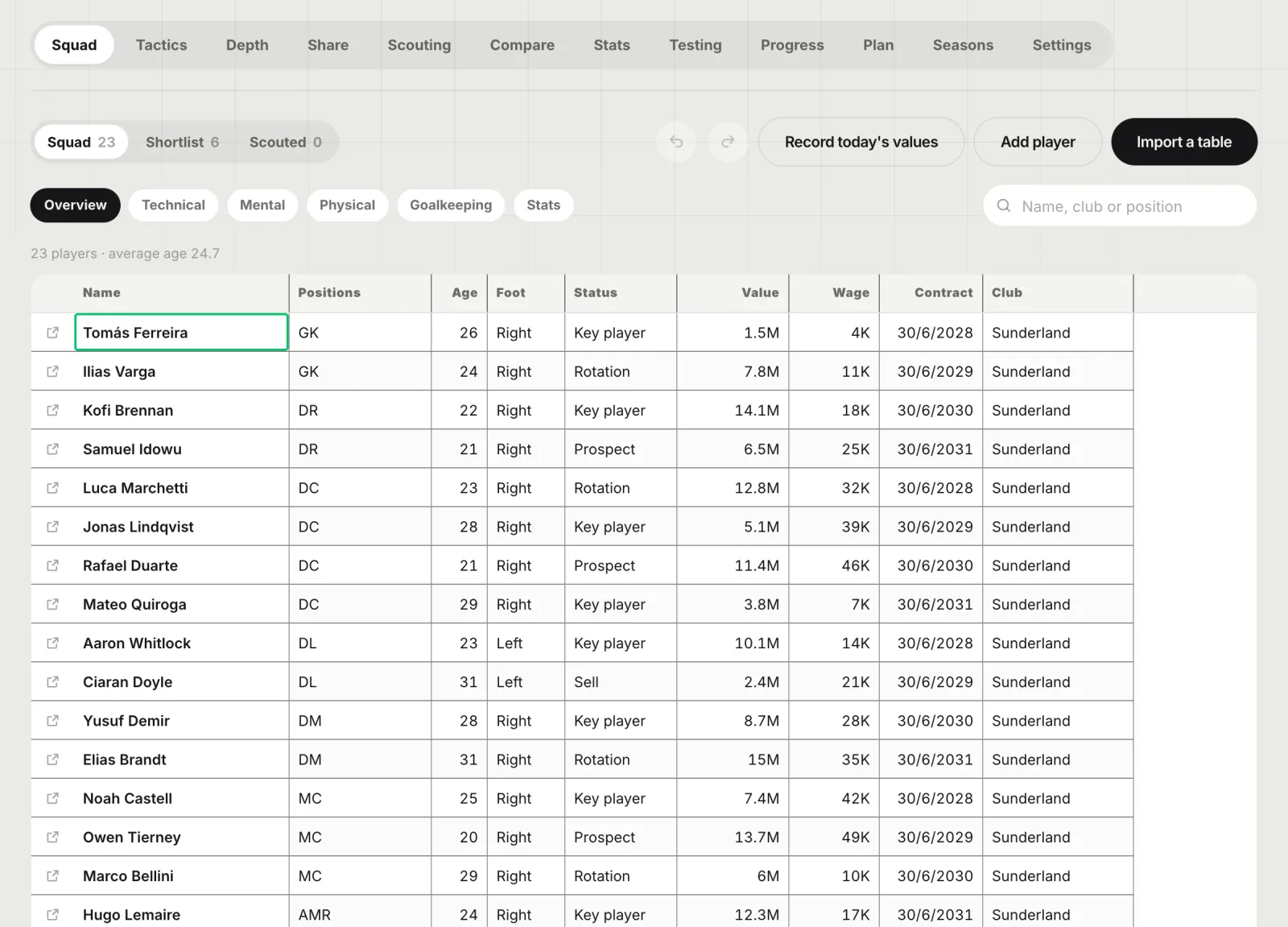
Drop or paste a table exported from the game or copied from a spreadsheet. Players, positions, attributes, stats, contracts and values are read, and the next table of the same squad updates the same men. Edit it like a spreadsheet.
CSV, TSV, HTML tables and Excel or Google Sheets pastes
Status for every man: key, rotation, prospect, sell, loan
Columns we do not know are kept, and can become your own fields
02 · Tactics
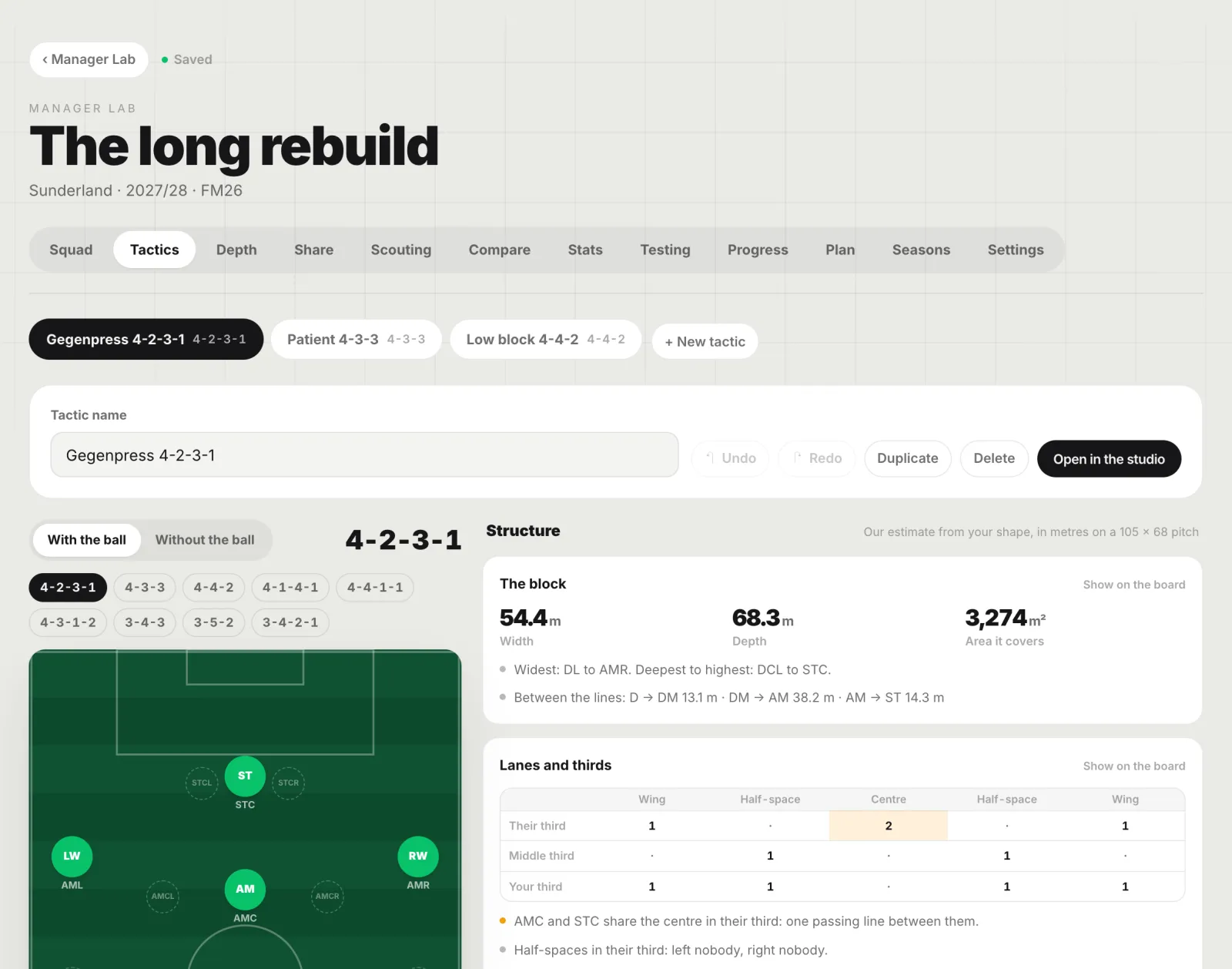
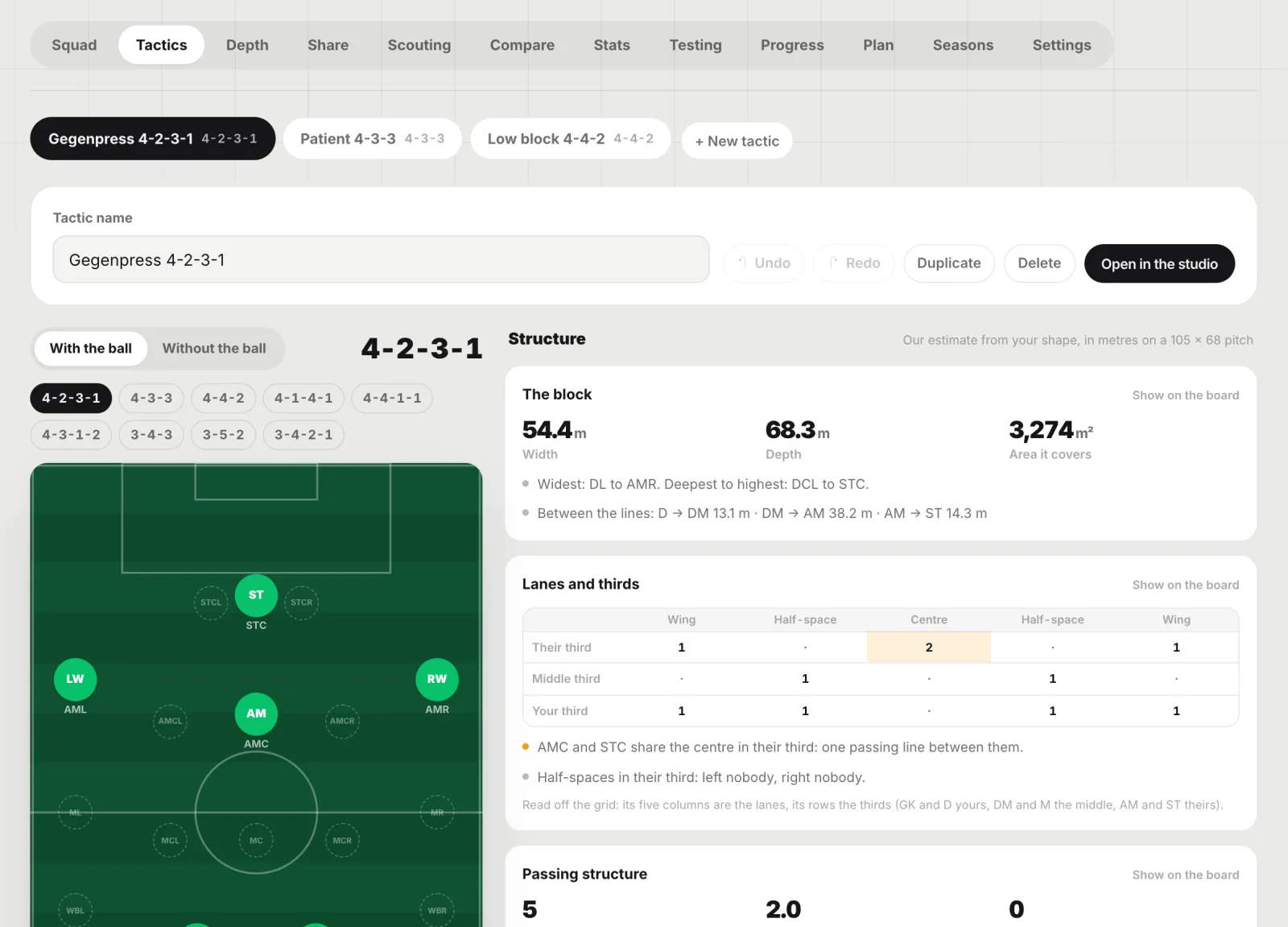
Tactics on a true-scale board, with their structure in metres
Lay out each tactic on the position grid Football Manager players know, with and without the ball, and put your players on the tokens. The Structure panel reads the shape live on a 105 by 68 metre pitch.
Block width, depth and area, and the gaps between lines
Lanes and thirds, passing triangles, rest defence and transition runs
Where you have the extra man against any opponent shape
03 · Depth
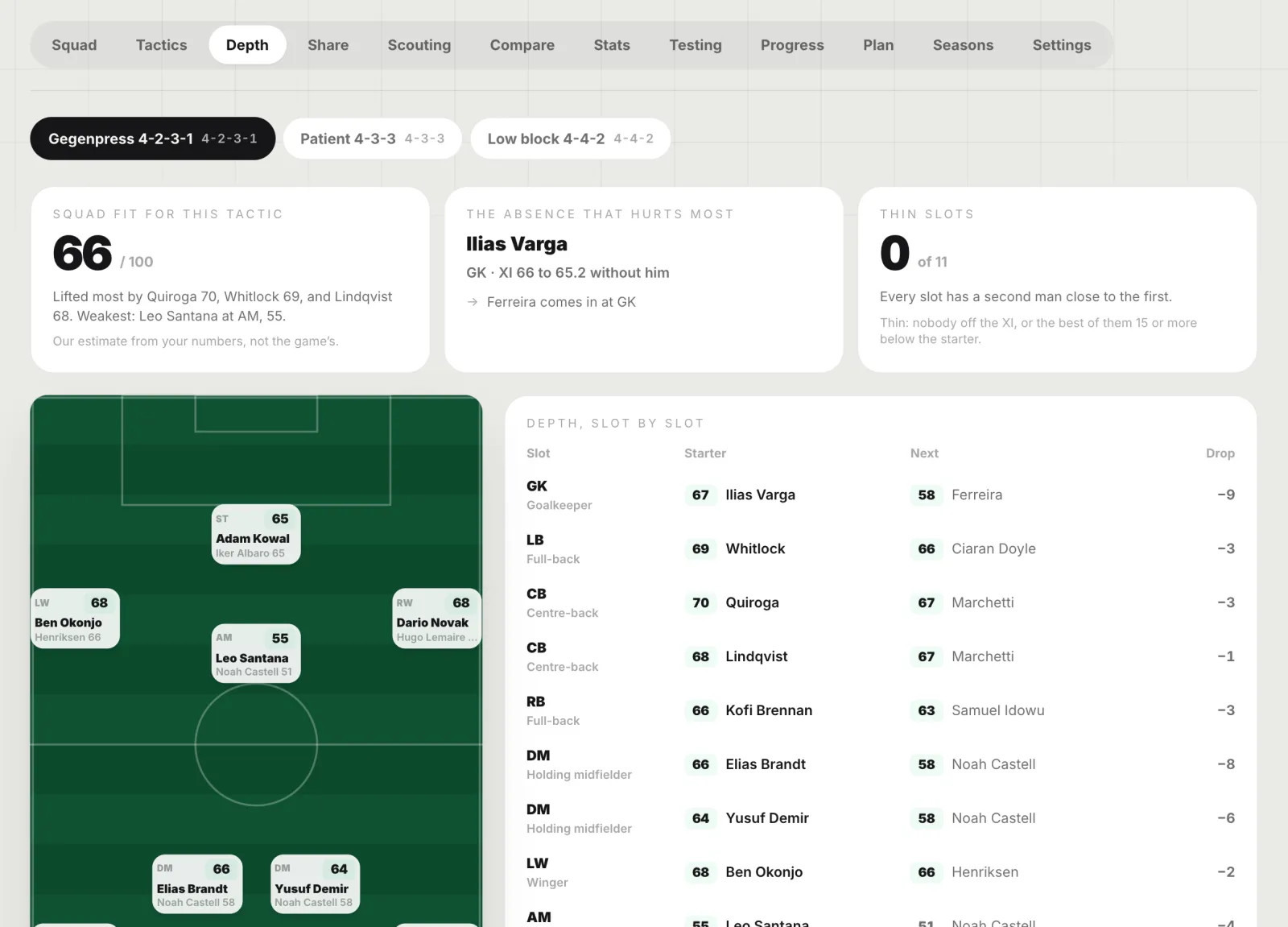
Depth chart, Best XI and the absence that hurts most
Every man rated for every slot of your tactic, the best eleven picked from the whole squad, and who comes in when a starter is missing. Role weights are on show and yours to change.
Squad fit out of 100, with the three things that moved it most
Thin slots, squad radar, ages, contracts and stronger feet
Which system suits this squad, ranked over every shape
04 · Scouting
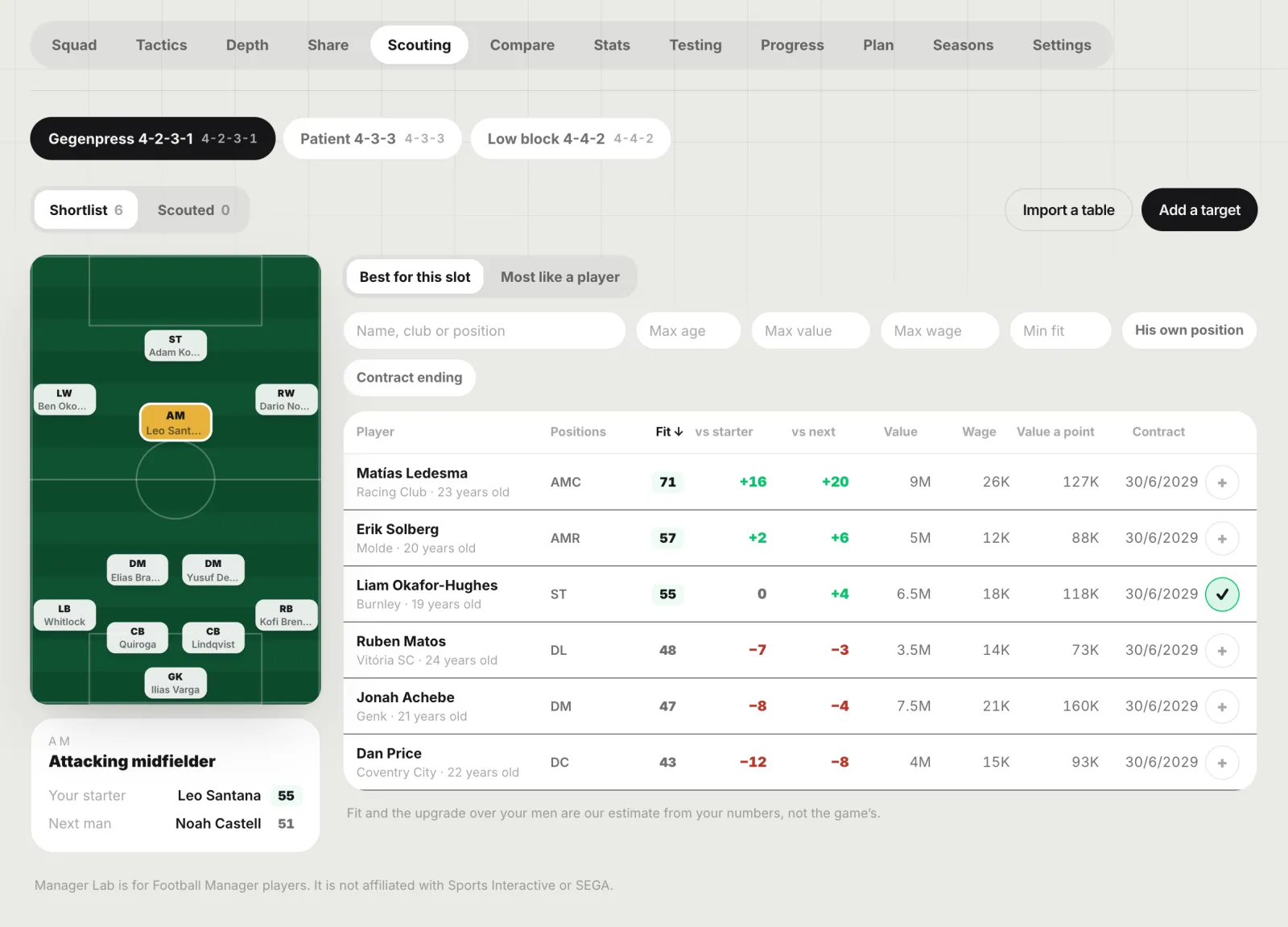
Scouting ranked for a slot of your tactic
Import or type your shortlist and rank it for the slot you need. Every target shows his fit, the upgrade over your starter and the next man, and what each fit point costs.
Best for this slot, or most like a player you name
Age, value, wage and contract filters
A replacement finder for any man in the squad
05 · Compare
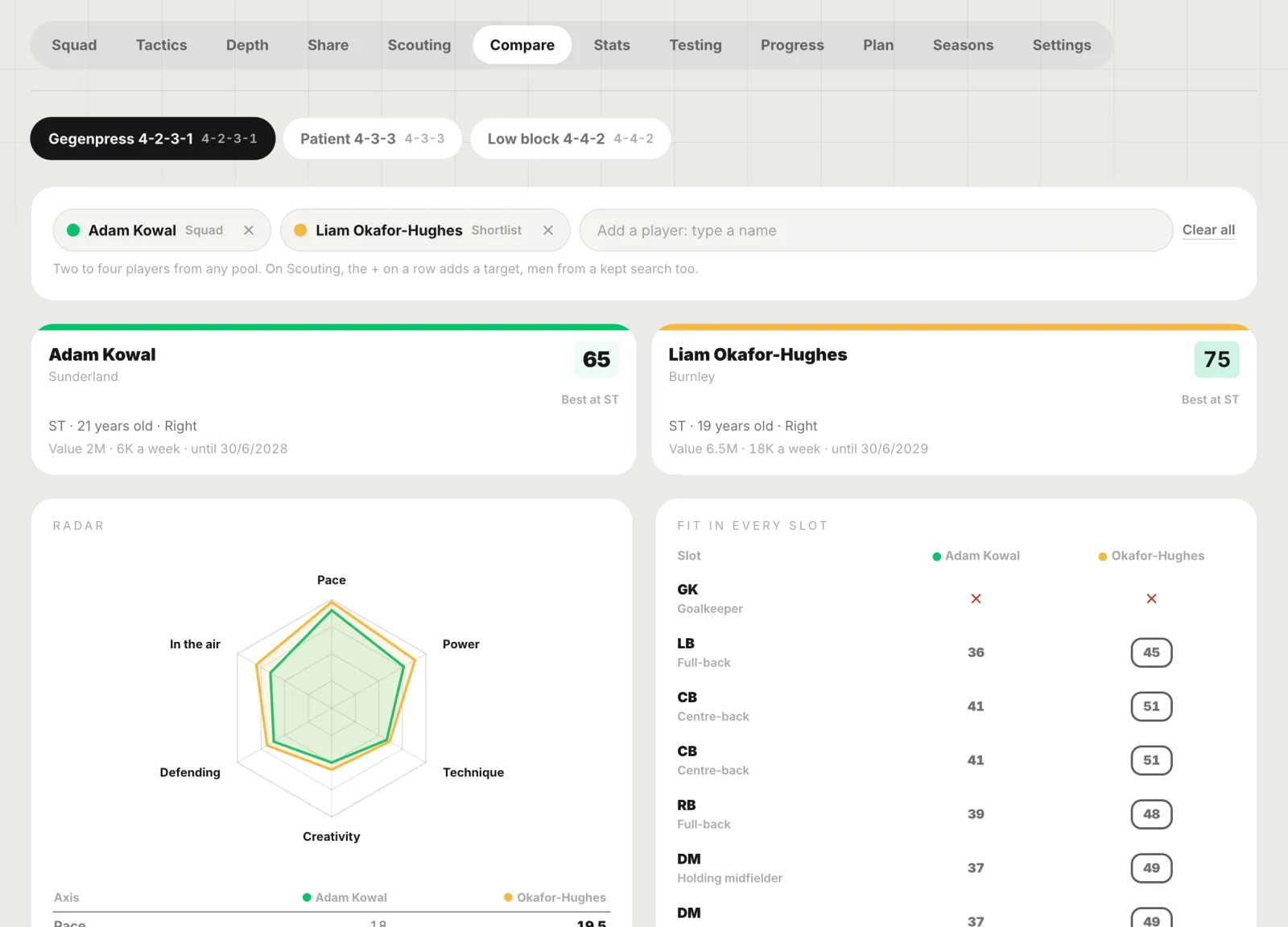
Compare two to four players
Your striker against the target, or four prospects at once: attributes side by side, one radar, and each man’s fit in every slot of your tactic.
From the squad, the shortlist or a kept search
Radar overlay on six axes
Fit in every slot, best one marked
06 · Stats
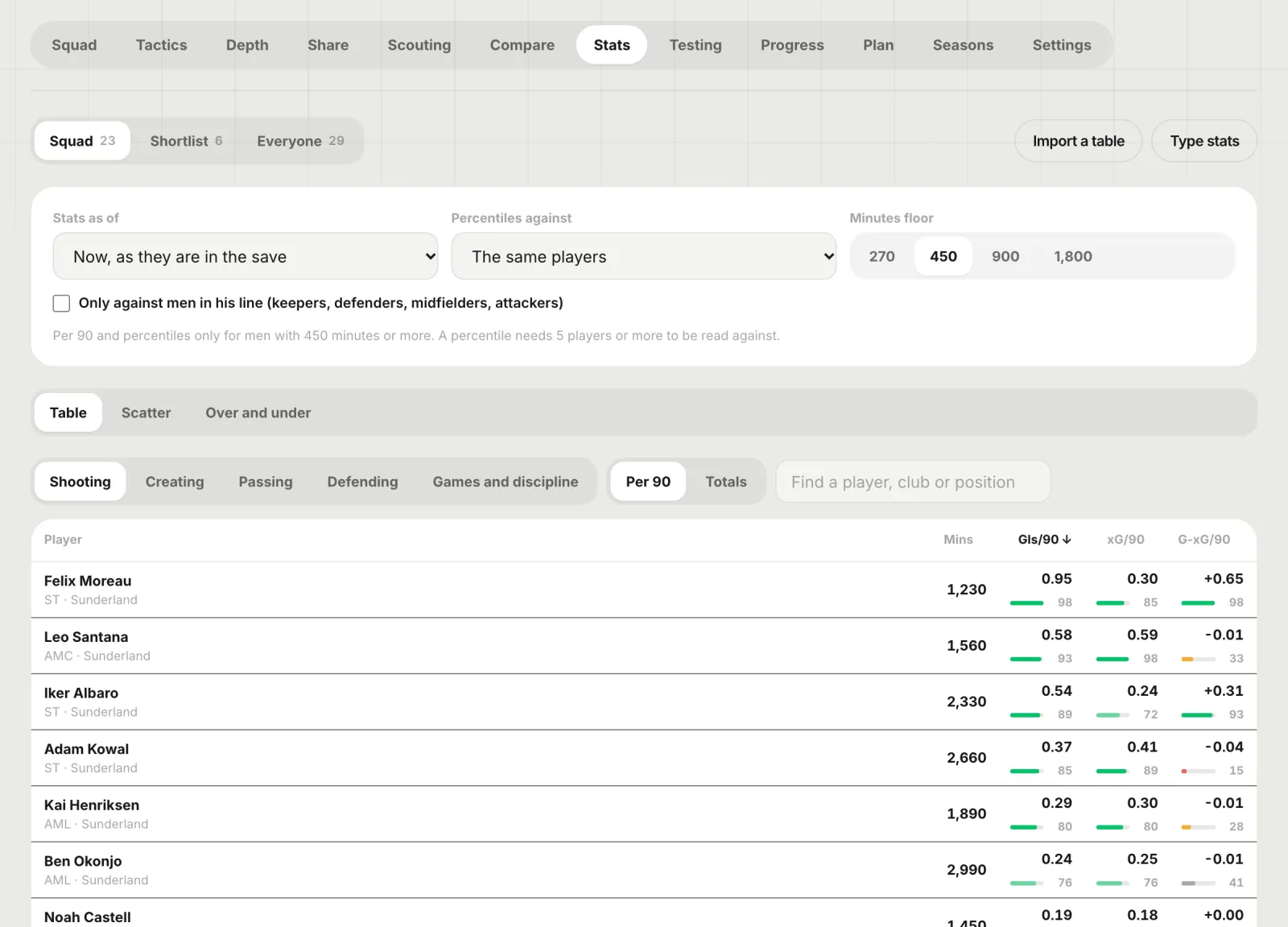
Per 90, percentiles and a scatter of anything
Stats from any table or typed in, per 90 over a minutes floor you set, with percentiles against the list you choose. Plot any stat against any other, with the names on the dots.
Shooting, creating, passing, defending, games and discipline
Over and under: goals against xG, assists against xA
Percentiles against the squad, the shortlist or everyone
07 · Testing
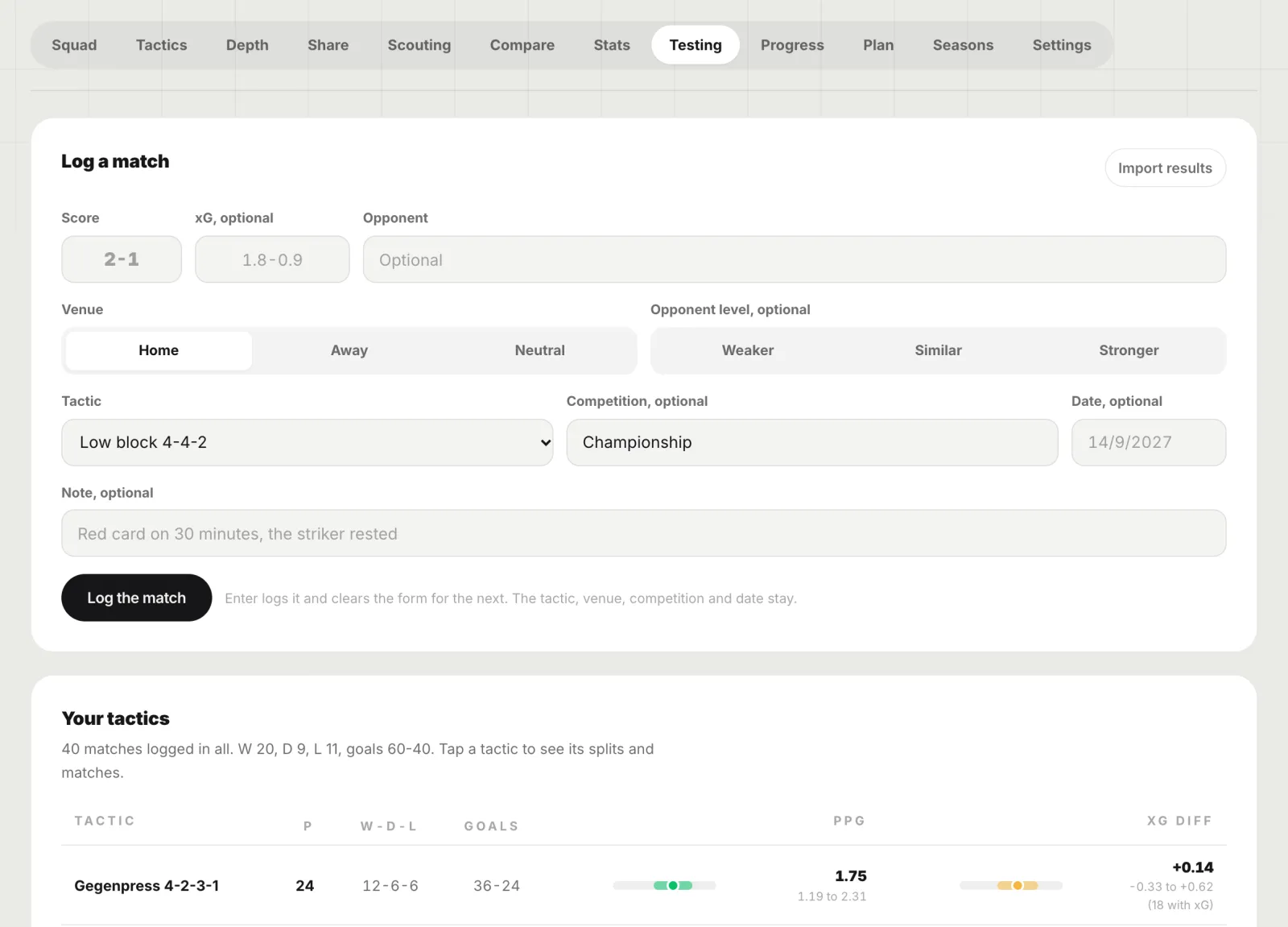
Test your tactics, with honest statistics
Log each match in seconds with the tactic you played. Points per game and xG difference come with a 95% range, and A against B says plainly whether the gap is real or still noise.
Home, away, opponent level and competition splits
Import a results table instead of typing
A testing card to share
08 · Progress
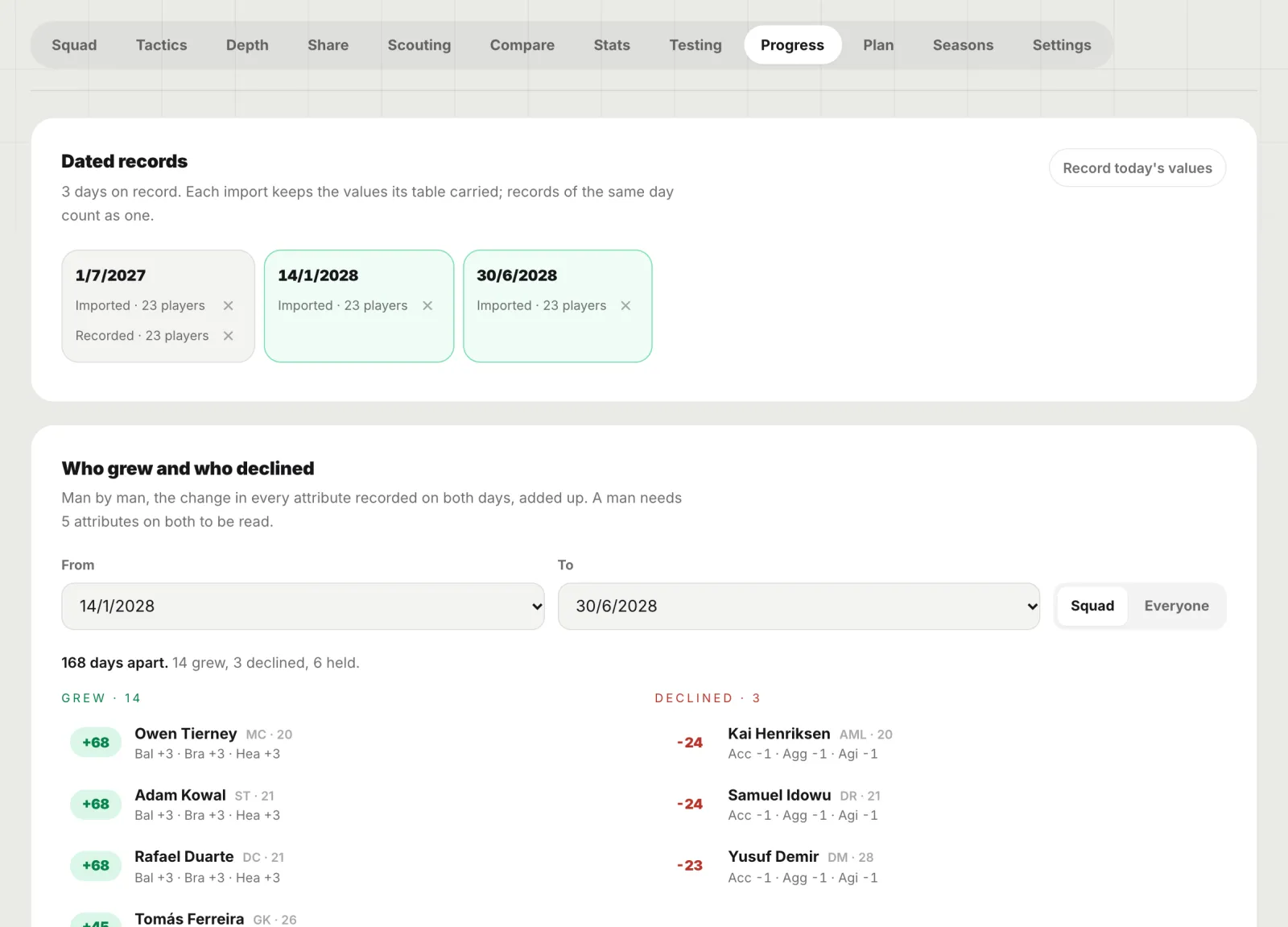
Who grew, who declined, recorded on in-game dates
Each import or manual record is kept on its in-game date. Pick two and see every man’s change over the attributes recorded on both, with the young players tracked over time. Recorded, never predicted.
Dated records, one tap to add today’s values
Grew and declined, attribute by attribute
A sheet per man over every record
09 · Plan
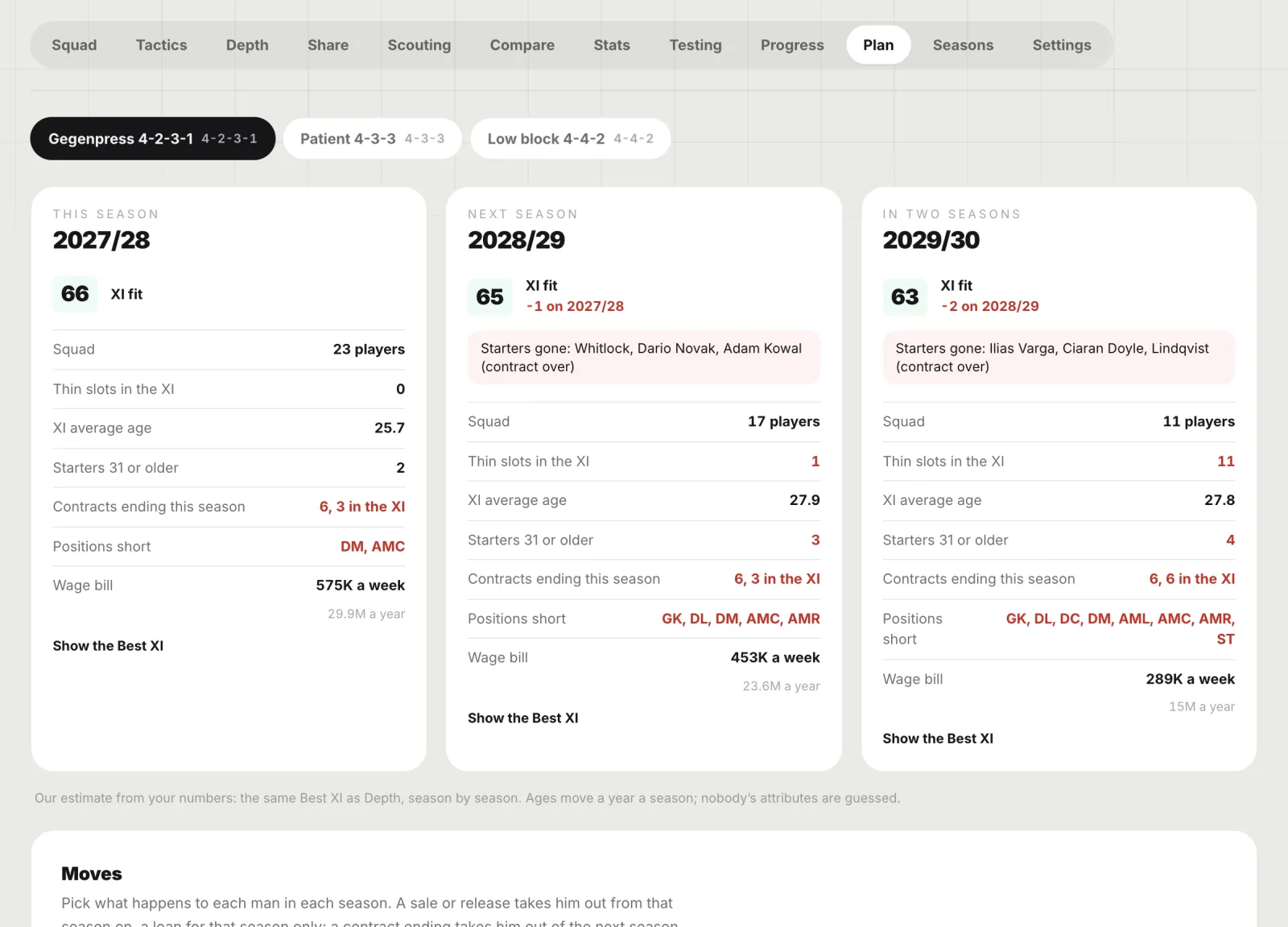
The squad three seasons ahead
Contracts end, players age, sales and loans happen. The Plan shows this season and the next two with your moves applied: XI fit, thin slots, average age, contracts ending and the wage bill.
Sell, loan, release, promote or extend per man
Positions you will be short of, season by season
The same Best XI as Depth, every season
10 · Seasons
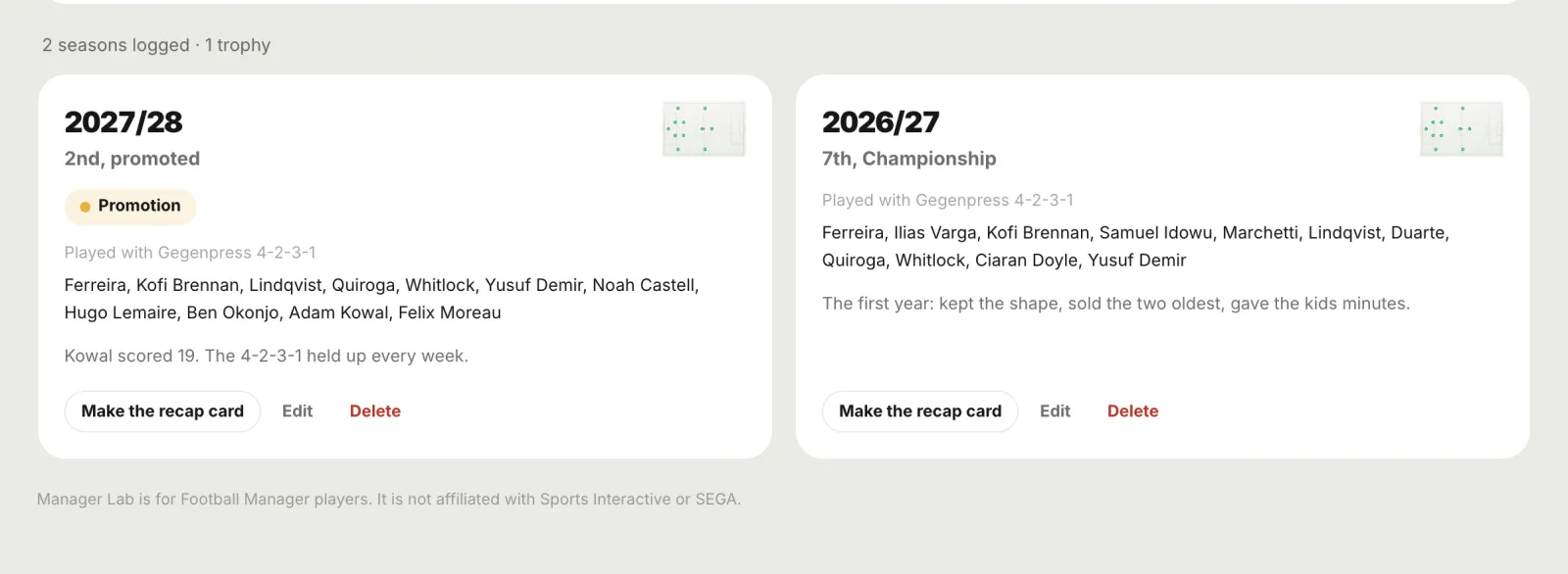
The history of the save
Log each season: where you finished, what you won, the tactic and the eleven that did it, and a note. Any season becomes a recap card to share.
Finish, trophies, tactic and XI
A note for the turning point
Season recap card in one tap
11 · Share
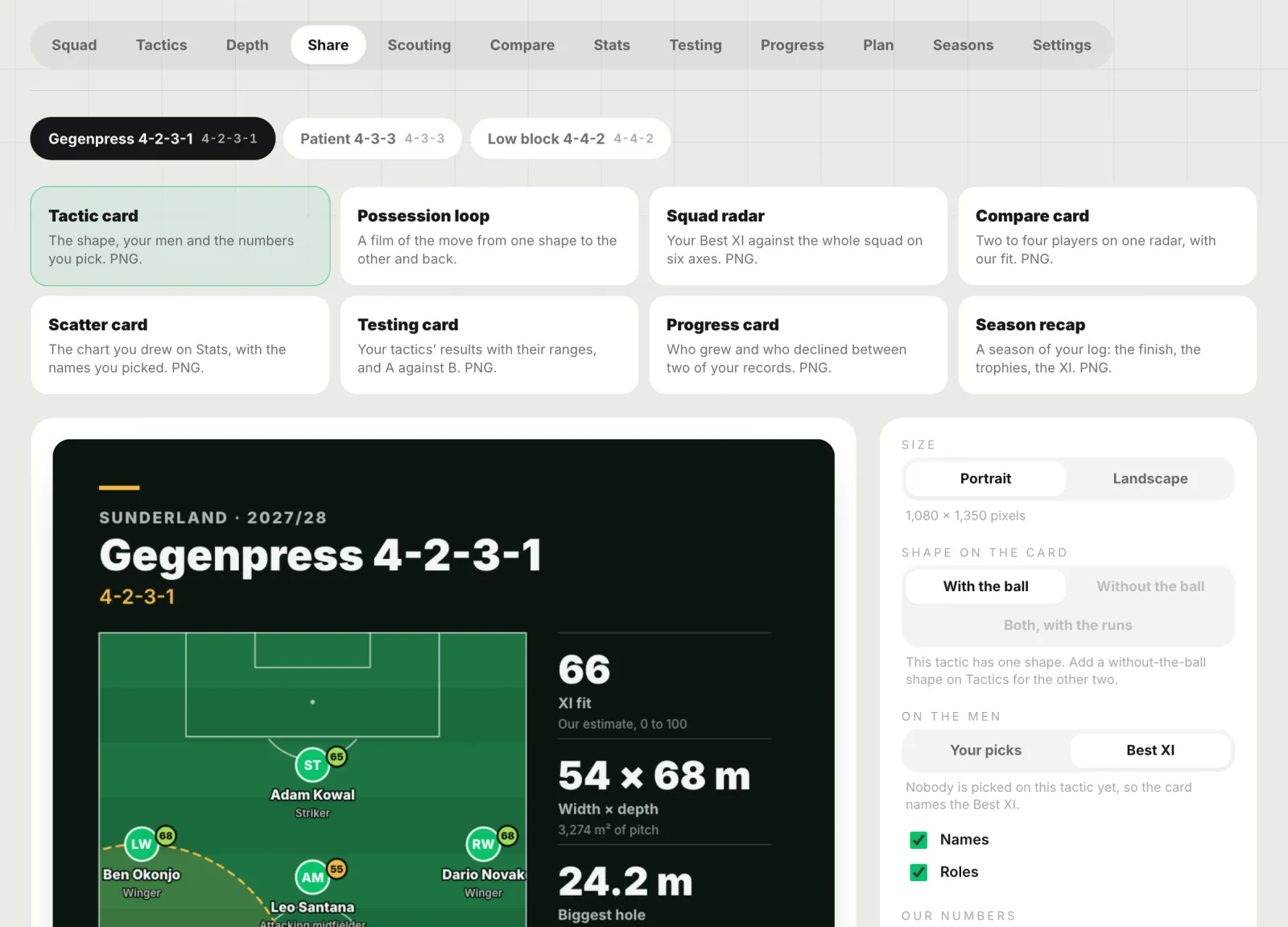
Cards worth posting
Your tactic with the men and our numbers on it, the squad radar, a compare card, the scatter, the testing card, progress and the season recap. Portrait or landscape PNG, and a possession loop film of the move between shapes.
Portrait for phones, landscape for everywhere else
Our computed numbers and at most eleven names
Watermark and link on every card
How your numbers get in
Any table in, or typed. Nothing read from the game.
1
Export or copy a table
Any view you can print or export from the game, or cells copied from a spreadsheet. Console and mobile players type straight in.
2
Drop it on the Lab
A preview shows what was read and what was skipped, before anything is saved. The same squad next month updates the same players.
3
Everything rates live
Fit, depth, structure, scouting and stats update as you change a value, a role or a token. Every rating names what moved it.
Yours, and honest
Private by default. Our estimates, never the game’s.
Plans
Free to start.
Beginner keeps 2 saves with every tab. Amateur and Pro keep as many saves as you like, next to every other tool in the studio.
A place in the studio for Football Manager players to keep each career as a save: the squad, your tactics on a real board, depth charts, scouting, stats, tested tactics, player progress, a three-season plan and the season history, with every rating worked out from your own numbers. Beginner keeps 2 saves; Amateur and Pro keep as many as you like. Total Football Studio is not affiliated with Sports Interactive or SEGA.
How do I get my Football Manager squad into Manager Lab?
Export any view from the game as a table, or copy cells from a spreadsheet, and drop or paste it on Squad with Import a table. Players, positions, attributes, stats, contracts and values are read, and a later table of the same squad updates the same players. Anything can also be typed by hand. Nothing is read from the game, its files or its memory.
Only you. A save belongs to your account, is never shared with other coaches or pooled into a database, and is deleted with everything in it when you delete it. The cards you choose to share carry our computed numbers and at most eleven names, never a table of attributes.
Can I turn my Football Manager tactic into a tactics board?
Yes. Import on My boards has From Football Manager: lay the tactic out on the same position grid as the game, give each player a role, and add the shape you defend in if you want one. You get a board with a phase for each shape that moves every player from one to the other, ready to edit, share and export. Nothing is read from the game or its files, and Total Football Studio is not affiliated with Sports Interactive or SEGA.
Manager Lab is for Football Manager players. Total Football Studio is not affiliated with, endorsed by or connected to Sports Interactive or SEGA. Football Manager is a trademark of its owners and is named here only to say who the Lab is for. We read no game files, saves or memory, and host no shared database of players.