Team Talk · New in the Studio
Your team talk,
over the film.
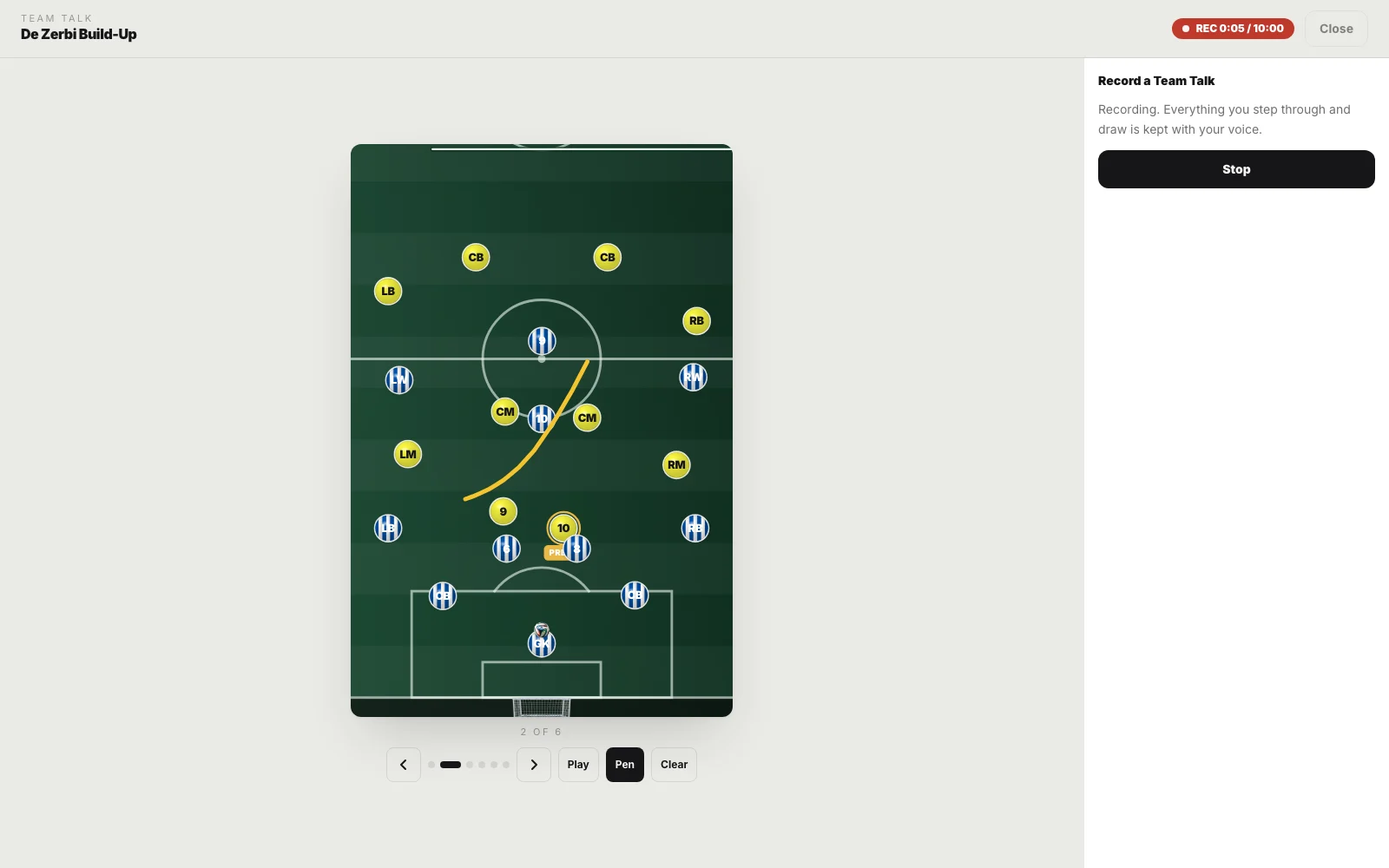
Record your voice over the tactics board while you step through the phases and draw on the pitch. Send the squad one link and they hear you explain it, exactly in time with the board.
How it works
Three steps, and the squad has it on their phones.
-
01
Open a board and press Record
Any system you have built. Share, then Record a Team Talk. Your browser asks for the microphone once.
-
02
Talk them through it
Step through the phases as you speak. Turn on the pen and draw the run, the gap, the trigger. Everything is kept in time with your voice.
-
03
Send one link
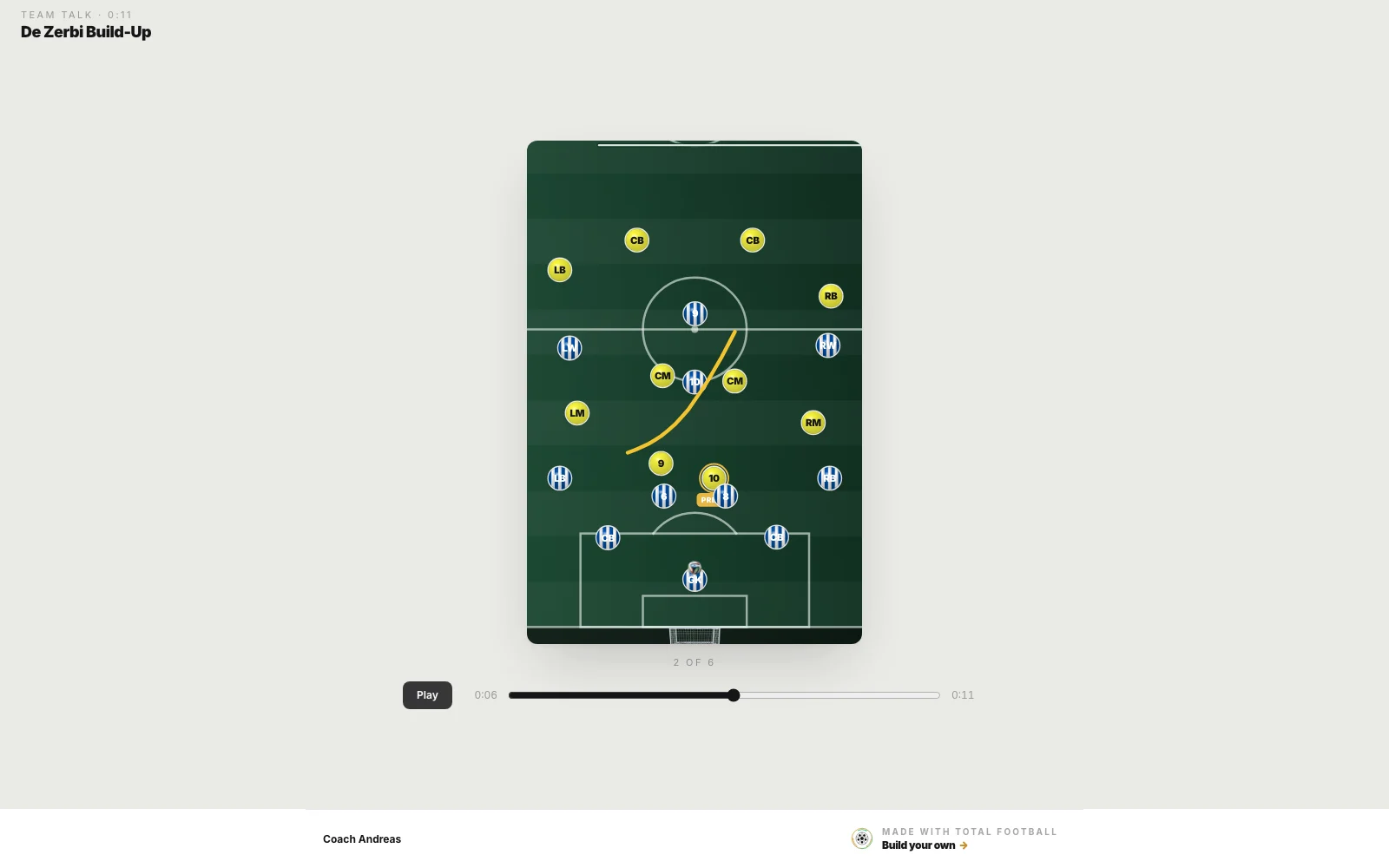
Save it and send the link to the group. It plays on any phone, with a scrub bar, and needs no account and no app.
Replay or MP4
A link that plays like a video.
The replay link opens in any browser. Players press play, scrub back to the moment they missed, and the board moves with your voice wherever they land. Nobody needs an account.
Or download the same Team Talk as an MP4 with your voice and your pen strokes on it, for the group chat, the club app or a presentation.
Live present mode
Present it live, wherever they are.
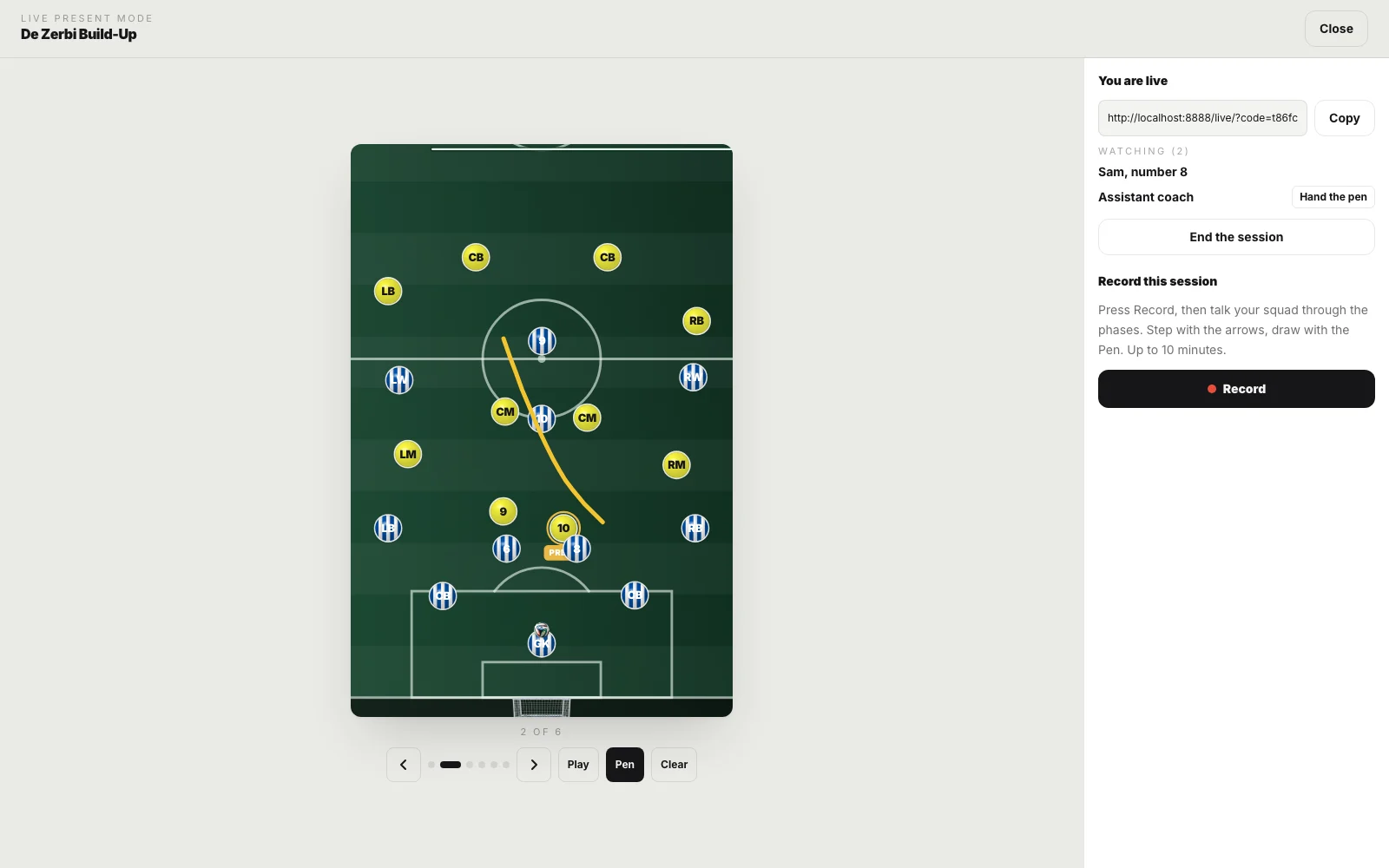
Open a room and send the link. Players join with just their name and see every phase, every stroke of the pen and every player you move as you do it. You see who is watching.
Hand the pen to your assistant and they take the board for everyone. Keep your usual call running for the voice, and record the session as a Team Talk to send afterwards.
When coaches use it
Every conversation you have about the shape.
-
The night before the match
Walk the squad through the opponent and your plan while they are at home, and let them watch it twice.
-
Half-time
Three phases, a few strokes of the pen, sent to the phones in the dressing room before the second half starts.
-
One-to-one feedback
Show a full-back where they should have been, in their own words and yours, without a meeting.
-
The staff meeting
Present live to your assistants wherever they are, and hand one of them the pen to show their idea.
-
Your coaching licence portfolio
Session plans and match analysis explained in your own voice, ready to attach as an MP4.
-
Parents and academy players
The same explanation for every age group, recorded once and sent to everyone.
Questions
About Team Talk.
What players need, what each plan includes, and how live sessions work.
All questions → Can I record a team talk over my tactics board?
Yes, with Team Talk. Open a board, choose Record a Team Talk from Share, and talk your squad through it while you step through the phases, draw on the pitch with the pen and move players or the ball. Your voice and everything you do are saved together, and you get one link that plays it all back in time.
Do my players need an account to watch a Team Talk?
No. The link opens in any browser on any phone, tablet or computer, with no app and no sign-in. It plays like a video with a scrub bar, and the board moves with your voice wherever they skip to. Joining a live session needs only a name.
How long can a Team Talk be?
Up to 10 minutes each. You can pause while recording, set up the next phase, and carry on; the pause is taken out of the talk.
Can I download a Team Talk as a video?
Yes. After you save it, download it as an MP4 with the board, your pen strokes and your voice, made in your browser, so it can go into a group chat, a club app or a presentation without a link to open.
Can I present a board live to players who are somewhere else?
Yes, with Live present mode. Open a room from Share, send the link, and everyone who joins sees the board exactly as you move it: each phase, each stroke of the pen, each player you drag. You can see who is watching. There is no voice in the room itself, so use the call you already have alongside it, and record the session as a Team Talk if you want to keep it.
Can my assistant take over the board in a live session?
Yes. You hand the pen to someone who has joined signed in, and from then on they step, draw and move players for everyone while you watch. One person holds the pen at a time, and you can take it back whenever you want. The players they move are saved to your board.
Record your first Team Talk.
Open a board, press Share, then Record a Team Talk, and talk. Your squad gets one link.