Football video analysis
Bring in a clip from a broadcast or your club camera. The Studio follows the camera, tracks every player and lays the whole clip on a timeline in its own analysis room. Freeze where you explain, measure the distance and the space between players, and play the move again on your tactics board.
On Amateur and Pro, with tracking and measuring on Pro. Nothing to install: it runs in your browser, and the clip stays private to you. 7 days free on Pro, nothing charged until day 8.
- The follow
- 0:00.0 to 0:05.8
- From one marked frame: “The lines held it all the way”, on a pitch of 105 x 68 m.
- The shape
- 43 m × 16 m
- Barcelona at the freeze: 43 m wide, 16 m deep, 7 in view, 565 m².
- The back line
- 17 m from goal
- PSG’s second-last man at the same moment, on the real grass.
How it works
A match clip in, an analysis out.
Seven steps, each one a few presses. Every picture here is the Studio on the clip above, as you would see it. On a phone or a tablet the same board opens among the tactics drawers.
-
Bring in a clip
Drop a clip from a broadcast or your club camera: MP4, MOV or WebM. Up to a minute is kept, at up to 1080p, so a longer one is cut to the minute you pick. It is made ready on your own device and saved privately to your account.
The clip in, made ready on the device, the pitch size set. -
Mark the pitch once
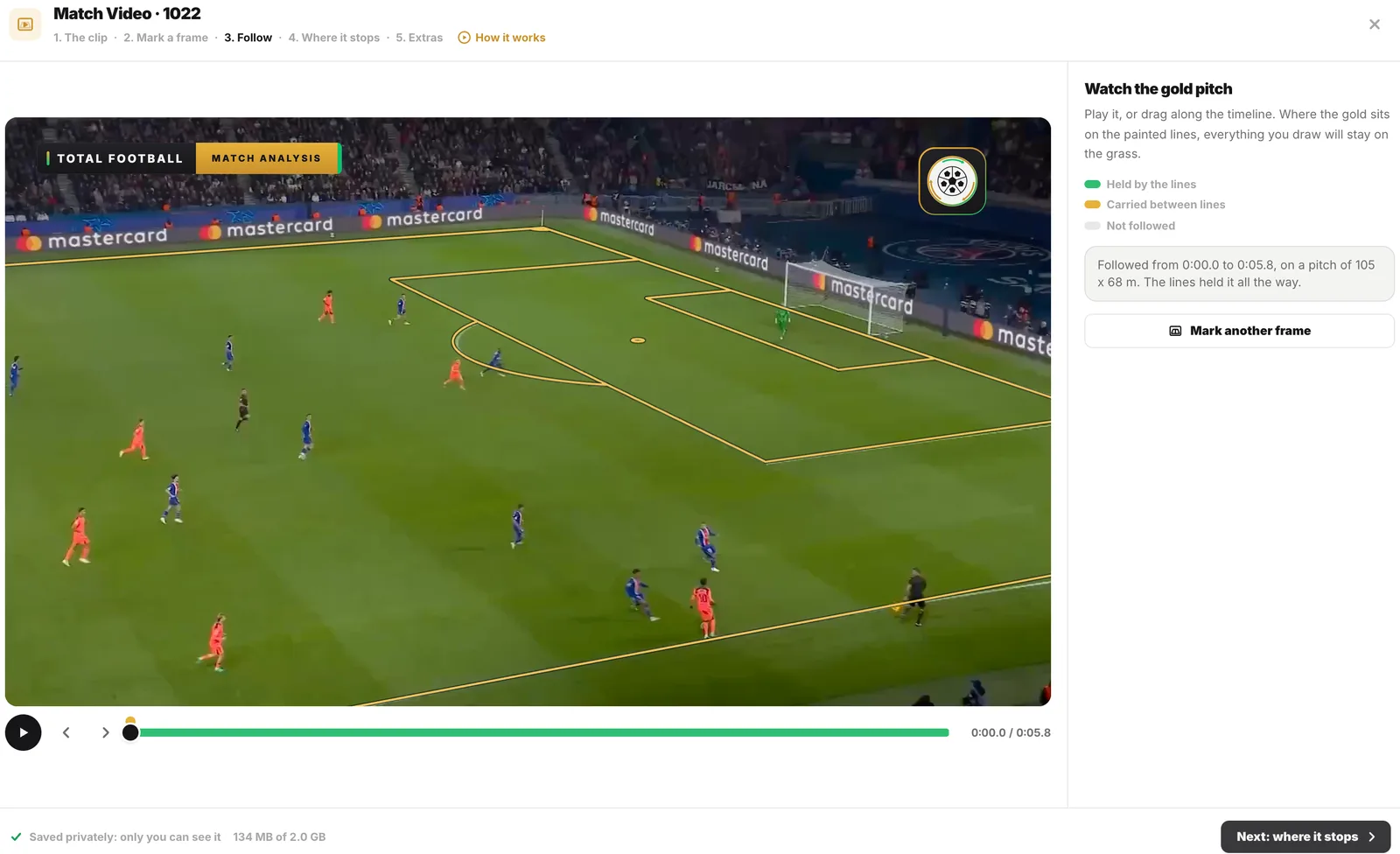
Find a wide frame and mark points every pitch has, like the corners of the box. The studio then follows the camera through every frame, so everything you draw stays on the grass while the camera pans. The timeline shows where the painted lines held it.
Marked once, followed through every frame: “The lines held it all the way.” -
Play it, freeze where you explain
On a wide screen the clip opens in its own Match Analysis room and plays first, the whole clip on a timeline under it. Press F at each moment that matters: the clip stops on that frame for 3 seconds of your players, runs, passes and zones, then plays on.
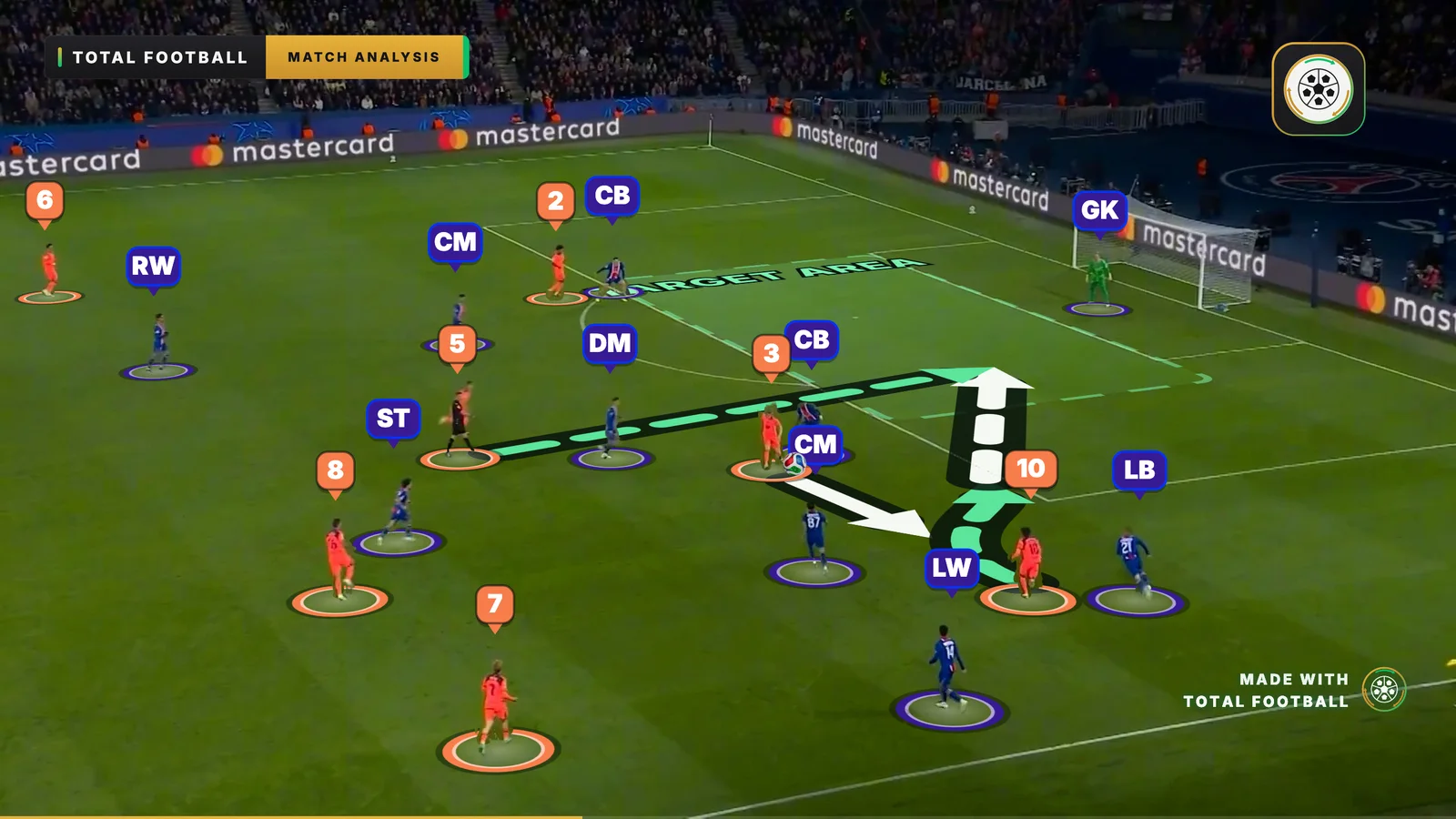
Frozen at 60:38: into 10’s path, lifted into the box, and 5 arriving from deep. -
Every player, tracked Pro
Track everyone on the pitch gives every player, keeper and official a ring through the whole clip, on your device, and reads each side from the shirts. Pick any man in the list to put him right: his kit, a keeper, an official, or swapped with the man beside him from that moment on.
Both sides followed as the clip plays, each man on the board with his ring and number. -
The board moves like the match Pro
Put them on the board and every tracked man becomes one of your counters, running his real path through every phase. Both views shows the clip and your board side by side, with a gold outline on the board where the camera is looking. Men out of shot are drawn faded until you place them.
Both views: the clip and the board, with a gold outline where the camera looks. -
Measure what the camera shows Pro
Add a side’s back line, its shape, the thirds or lanes, space or heat, and each figure is worked out at every moment, on the real grass, for as long as its bar runs on the timeline. Measure clicks players for the distance between two, the area inside three or more in m², each gap along a line, and how far one runs.
The back line and the shape, measured on the real grass at 60:38. -
The ball, touch by touch
At the moment you want, add a touch and tap the man who plays it or takes it. Each pass is drawn as a line behind the real ball, along the grass or in the air with a top you set up to 30 metres, and the offside line steps up to the ball.
The pass drawn behind the real ball as the clip plays on.
Try it on a clip from your own match.
Bring in up to a minute from a broadcast or your club camera, mark the pitch once, and every tool in the room works on it.
Nothing is charged until day 8. Cancel before then and you pay nothing.
The Match Analysis room
One room for the whole clip.
On a wide screen a board with a clip opens in its own room: the clip in the middle, every tool on a rail at the left, what the tool does on the right, and the whole clip on a timeline underneath. Tactics board opens the same file among the drawers you know.
Space play F freeze ←→ a frame [] in and out
-
The timeline
The whole clip under the stage. Space plays it, the arrows step a frame, and every figure is a bar you drag.
-
Freeze, with F
Stops the clip on a frame for 3 seconds of explaining, or 2, 4 or 6, then plays on.
-
Players Pro
Track everyone, then put them on the board: every man a counter running his real path.
-
Analysis Pro
Back line, shape, thirds and lanes, space and heat, each from the playhead.
-
Measure Pro
Distance, area in m², a line through players, a run, a speed, a heat.
-
Ball
Touch by touch, each pass drawn behind the real ball.
-
Effects
A spotlight beam, a magnifier or a player’s vision cone.
-
Both views Pro
The clip and your board side by side, and one press to open it as a tactics board.
The analysis
What the analysis measures.
Worked out from the players on your board at every moment of the clip. Only the men the camera sees are counted, never a guess, and every figure shows on the video and on the board alike.
-
The back line
Drawn at a side’s second-last man, with how far it stands from its goal. The keeper counts as behind it unless the camera sees him.
-
Width, depth and area
A side’s shape over the men in view: how wide, how deep and how much grass it covers, in square metres.
-
Thirds and lanes
How many of each side stand in each third, each lane, or both, at every moment of the clip.
-
Space
The grass in view each man is nearest to, and the share each side controls.
-
Heat over the clip
Where a side, or one player, was seen through the whole clip.
-
Speed and distance
A tracked player’s speed in km/h, and the distance to the men near him, as the clip plays.
-
The area between players
Click three or more players with Measure: the grass inside them, in square metres, moving as they move.
-
Lines and distance run
A line through players in order with each gap in metres, and how far one player runs from the moment you pick.
-
Offside at the ball
The offside line steps up to the ball when your touches put it nearer the goal than the second-last man.
Both views
The clip and your board, in one film.
Turn on Both views when you save the video and the clip and your board play together: side by side in landscape, the clip over the board in vertical, with a gold outline on the board where the camera is looking.
A real vertical export, its first six seconds.
The whole match
Mark the whole match. Show the moments that matter.
Watch the full match from your own file and press a code at every moment worth a second look. Keep the ones to show, find them all season in Your team, and play them to your squad in the order you choose.
Ten ready codes, on the keys 1 to 0
Rename them, recolour them or add your own.
- 1 Goal
- 2 Chance
- 3 Shot
- 4 Press won
- 5 Turnover
- 6 Counter
- 7 Corner
- 8 Free kick
- 9 Throw-in
- 0 Build-up
Space play ←→ 5 seconds U Us or Them Backspace remove the last mark
- 01
Mark it as it plays
Press Match video on the match in Your team and pick its file: it plays from your device and is never uploaded. Press a code at every moment that matters, for Us or Them. Each press keeps 8 seconds before it and 5 after, saved as you make it.
- 02
Keep what you will show
Keep cuts a moment into a clip of its own, the only part of the match that is stored. Analyse opens it on a new board for the Match Analysis room, with the match still open where you left it. On Pro, every code is counted, Us against Them, half by half.
- 03
Show it to the squad
Put kept moments and boards in a playlist, up to 60, each with a note for the players. Present it full screen on the dressing room TV and move on with a clicker, send one link to their phones, or make one MP4.
- 04
Find it all season
Every moment gathers in Your team, under Video, match after match: filter by match, code, side or player. Match prep shows the moments against your next opponent, from every match you played them.
Tags from the tool you already use
On Pro, bring in the tags you made elsewhere, as an XML timeline or a CSV. Match their codes to yours or add them in their own colours, turn their labels into your players, and line them up by one tag if the video was cut differently. Every marked moment goes back out the same way, ready to open where you tagged it.
On a real ground
Made for the footage coaches have.
-
Your ground, in real metres
Club pitches are not all 105 by 68. Set your pitch’s length and width, from 90 to 120 metres long and 45 to 90 wide, or let the points you mark measure it. Every distance, speed and area then reads in your pitch’s own metres.
-
Private, and shared when you choose
The clip is made ready on your device and kept privately in your account. Send a share link or a Team Talk and your players watch it with your drawings on it, on any phone. Switch the video off and the link plays your board alone; delete the clip and every link shows the board.
-
A film to send
Save as a video plays your phases over the clip, landscape and vertical. Turn on Both views and the clip and your board play together in one film: side by side in landscape, the clip over the board in vertical.
-
Cuts and replays
The main wide camera works best. A replay or a close-up cuts the follow; mark a frame after the cut and that part is followed too.
Match Video is on Amateur and Pro; tracking every player, the board that moves like the match and the measuring are on Pro. Compare the plans.
More from a real match.
-
Draw over one frame
Match Picture puts a single screenshot from a real match under a phase and finds the players in it.
Football image analysis -
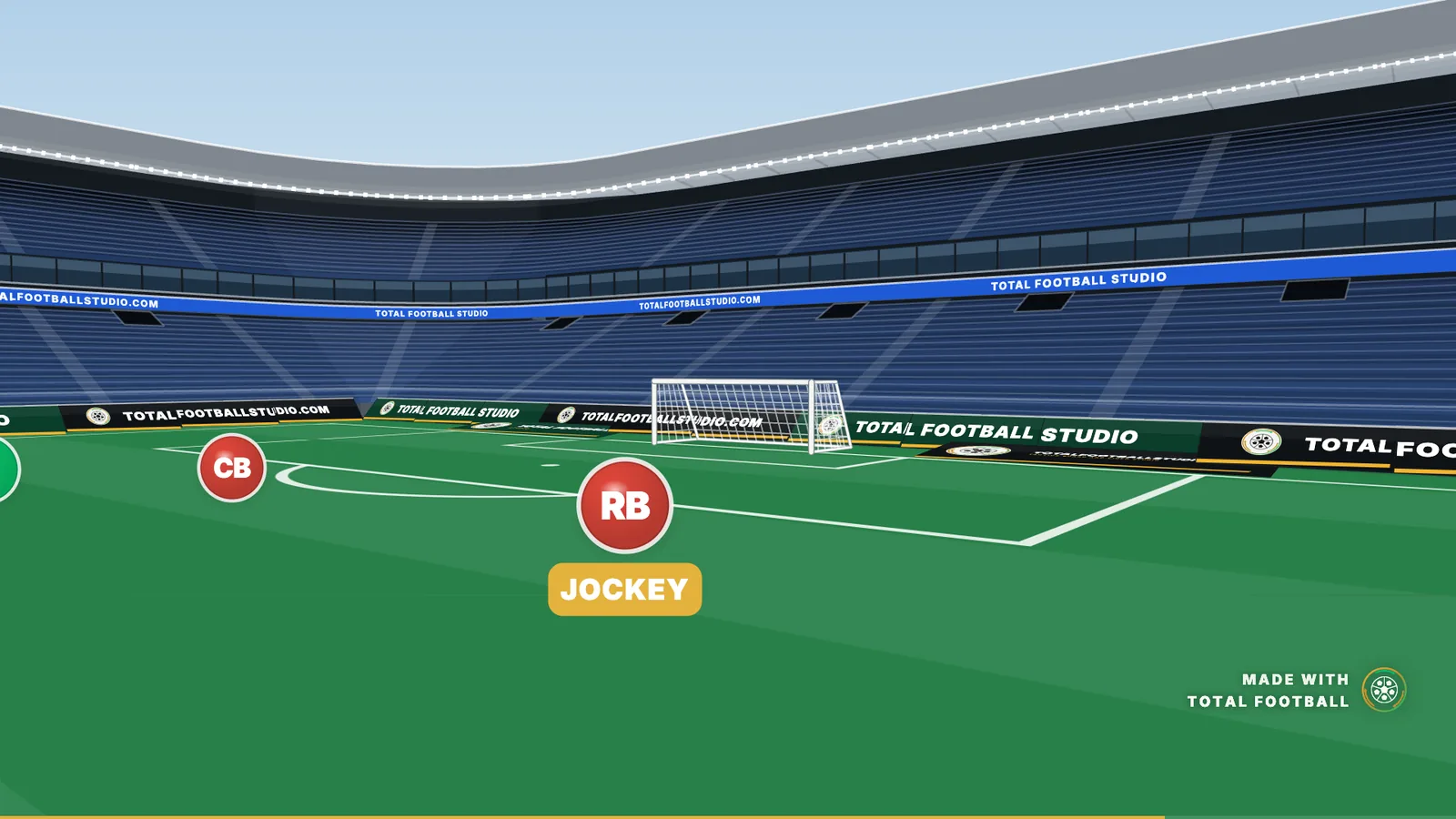
See it through a player’s eyes
Player's Eye puts the camera on a player and plays the phase from where they stand.
How Player's Eye works -
Every step, in the studio’s words
The guide walks through Match Video control by control, as the studio labels them.
Read the guide
Can I analyse match video in the Studio?
Yes, with Match Video, on Amateur and Pro. Bring in a clip from a broadcast or a club camera and mark the pitch on one frame: the Studio follows the camera through the whole clip, so everything you draw stays on the grass while it plays. Freeze it where you want to explain, follow the players you pick with rings, and add the ball touch by touch. On Pro, track every player, put them on your board so it moves like the match, and measure the back line, the shape and a player's speed. On a wide screen it opens in the Match Analysis room, where the clip plays along a timeline and every figure sits on it from the moment you pick. The clip is private to you.
What match footage works with Match Video?
A clip from a broadcast or a club camera, in MP4, MOV or WebM. Up to a minute is kept, at up to 1080p, so a longer clip is cut to the minute you pick. The main wide camera works best: a replay or a close-up cuts the follow, and a frame marked after the cut follows that part too. Pitches can be any size from 90 to 120 metres long and 45 to 90 wide: set yours, or let the points you mark measure it.
How Match Video works Does the Studio track the players in a match video?
Yes. On Amateur and Pro, pick players on a frame and each gets a ring that follows him through the clip. On Pro, once the camera is followed, Track everyone on the pitch gives every player, keeper and official a ring through the whole clip, on your device and with no credits, and reads each side from the shirts. Pick any man in the list to put him right: his kit, a keeper, an official or not a player, or swap him with the man beside him from that moment on. Put them on the board then makes each tracked man one of your counters, running his real path through every phase.
What can Match Video measure?
On Pro, from the players on your board at every moment of the clip: a side's back line and how far it stands from its goal, its width, depth and area, how many of each side stand in each third or lane, the grass each man is nearest to, where a side or one player was seen through the whole clip, and a player's speed and his distance to the men near him. With Measure, click players on the clip for the distance between two, the area inside three or more in m², each gap along a line through them, or how far one runs. Each figure sits on the clip's timeline from the moment you pick, held on a freeze or on for as long as you drag its bar. Only the men the camera sees are counted, never a guess, and every figure is in your pitch's real metres.
Can I mark the moments of a whole match?
Yes, on Amateur and Pro. Open a match in Your team, pick its video file and press a code at every moment that matters: ten ready codes on the keys 1 to 0 (Goal, Chance, Shot, Press won, Turnover, Counter, Corner, Free kick, Throw-in and Build-up) or your own, for Us or Them, with a player and a note if you want. Each press keeps 8 seconds before it and 5 after. The match plays from your device and is never uploaded, and every mark is saved as you make it, so a dropped connection or a closed tab loses nothing. Keep cuts a moment into a clip in your storage; Analyse opens it on a new board for the Match Analysis room. On Pro, every code is counted, Us against Them, half by half.
How marking a match works Can I make a playlist of match moments for my players?
Yes, on Amateur and Pro. In Your team, under Video, put kept moments and boards in the order you want to show them, up to 60, each with a note for the players. Present plays it full screen on the dressing room TV, and the arrows or a clicker move on through each board's phases and the next item. Share link sends one link your players open on their phones with no account: the kept moments with the match video, the boards with your drawings, your notes under each. Share again after a change and the same link updates. MP4 makes one file of every item, with a title card before each if you want, for the meeting room or WhatsApp.
How playlists work Can I bring in tags from another analysis tool?
Yes, on Pro. Open the match's video, press Tag files at the top of the page and choose the file: the XML timeline most analysis tools export, or a CSV with a start, an end and a code. Before anything is added you choose how it lands. If their video was cut differently, line the tags up by one of them and every tag moves by the same amount. Match each of their codes to one of yours, add it in its own colour, or skip it. Turn their labels into your players, your team or theirs; the rest stay on the moment. One file comes in as one import: bring the same file in again and it replaces the first, and Remove this import takes all of it back. Tag files also takes every marked moment out as an XML timeline or a CSV, Us and Them as Team labels and the player as a Player label, to open in the tool you already use.
How tag files work How much match video can I keep?
Amateur keeps 100 MB in total, room for 2 one-minute clips or about 7 kept moments, and takes 7 new videos a month. Pro keeps 200 MB (4 one-minute clips or about 15 moments) and takes 15 a month. Storage is the room your files take at any time, so deleting a clip frees its room. Every clip you upload and every moment you keep counts once against the month, deleting it does not give it back, and the count starts again on the 1st. A storage pack adds room and new videos for as long as you keep it, from €2.49 a month or yearly with two months free; the two biggest can be taken up to 10 times, and a head coach can buy one pool for the whole team. There is no limit on how often your clips are played. The free week holds 1 clip and 5 match pictures.
See the plans and storage Who can see my match clips?
You, and the people you send it to. A clip is made ready on your own device and saved privately to your account, where it counts against your plan's storage, a total for all your files. A share link or a Team Talk of a board with a clip plays it under your drawings for whoever opens it, while your plan has Match Video and the clip is kept. Turn Show the match video off when you share and the link plays the board alone; delete the clip and every link shows the board. The PDF shows those phases on your board, with every tracked player running his real path.