
Free download
The studio, in its
own window.
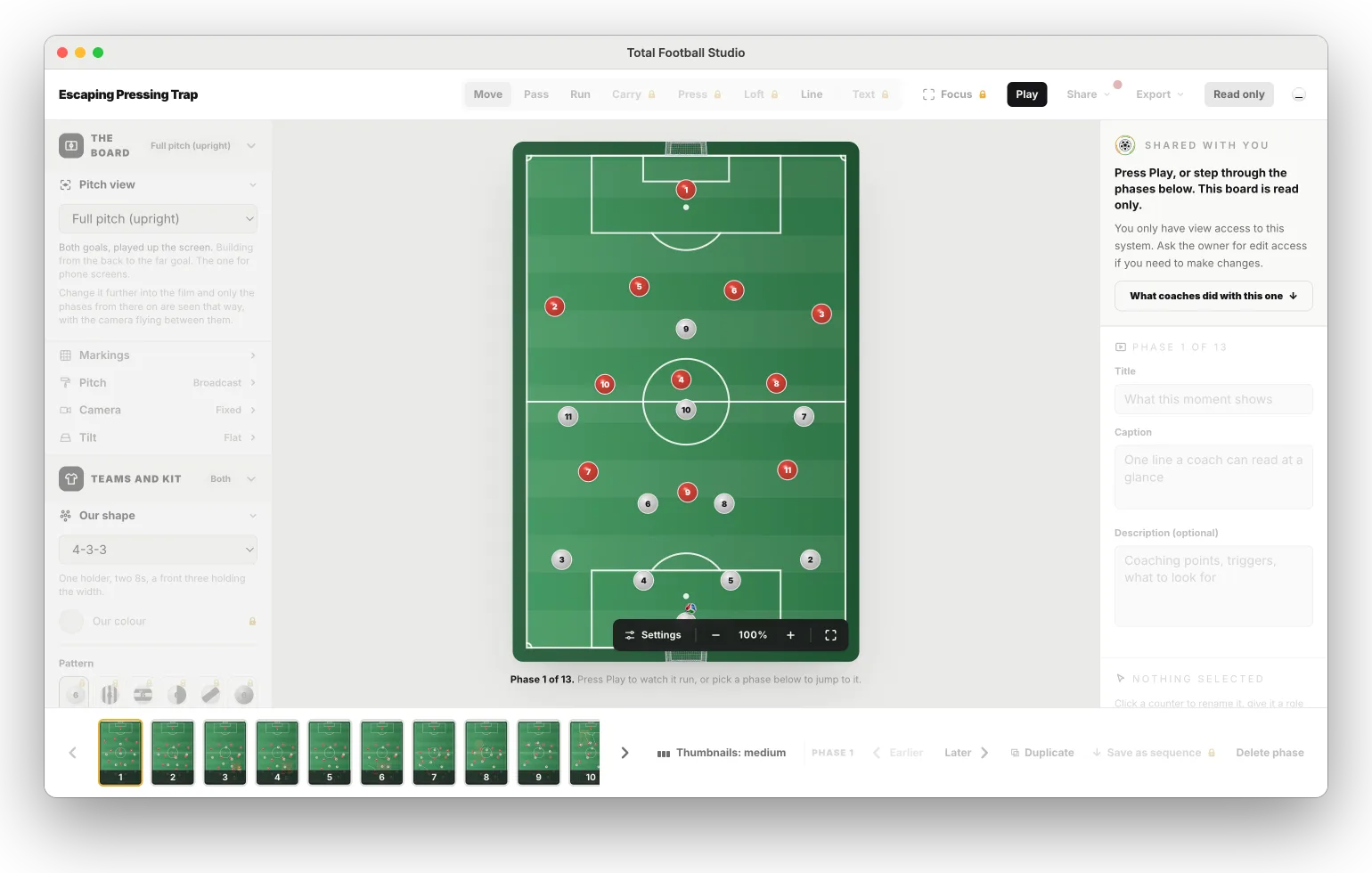
Total Football Studio, the animated football tactics board, as an app on your Mac or Windows PC. Everything the web studio does. Sign in with the account you already have and your boards are there.
Needs an internet connection: your boards live in your account, not on one computer. On the free plan the app works on 2 computers; Amateur and Pro have no limit.
Where it lives
One click from the dock or the taskbar.
Not one tab among thirty. The studio sits with the rest of your apps, and opens straight onto your shelf.
Double-click a board file.
A .tfs board a colleague sent you opens in the app, ready to import onto your shelf. No upload, no hunting for the right tab.
What you get
The same studio, out of the browser.
Its own window
In the dock or the taskbar, out of your browser tabs, where it stays the size you left it.
The whole studio
Boards, films, sequences, squad, Team Talk, Live and the whiteboard. It is the same studio as on the web, not a cut-down copy.
Board files
Double-click a .tfs board file and it opens in the app, ready to import.
Saves where you say
Videos, pictures and PDFs go through the normal Save dialog, into the folder you pick.
Always current
The studio inside is the live one, and the app updates itself. Nothing to reinstall.
Same account
Sign in with email, Google or Apple. Your boards and your plan are already there.
Installing
A minute, once.
On a Mac
Open, drag, done.
- Open the downloaded Total-Football-Studio-mac.dmg.
- Drag Total Football Studio into Applications.
- Open it from Applications or Launchpad and sign in.
The first time you record a Team Talk, your Mac asks to let the app use the microphone. Say OK.
Download for MacOn Windows
Two extra clicks, once.
- Run the downloaded Total-Football-Studio-Setup.exe. If your browser says the file is not commonly downloaded, choose Keep.
- Windows may show Windows protected your PC. That is shown for apps that are new to it. Click More info, then Run anyway.
- It installs and opens by itself. Sign in, and it is on your Start menu and desktop from then on.
One account
Start it at the desk, show it on the touchline.
The web, iPhone and iPad, Mac and Windows: one sign-in, and every board is in all of them.
Is there an app for Mac or Windows?
Yes. Total Football Studio for Mac and Windows is a free download from this site. It is the same studio as on the web, in its own window with its own icon in the dock or taskbar, board files open with a double-click, and it keeps itself up to date. Sign in with the same account and everything you have made is there, on the same plan. It needs an internet connection, because your boards live in your account. On the free plan the app works on 2 computers; Amateur and Pro have no limit.
Does the Studio cost anything?
It has a free plan. Beginner costs nothing, needs no card and never expires, and has the whole animation engine with 25 boards on the web. Amateur (from €8.99 a month) and Pro (from €15.99 a month) add more tools. It runs in the browser, and the iPhone and iPad app is free on the App Store.
Compare the plans Is what I build private?
Yes, by default and permanently. Your boards sit in your account and nobody else can see them. A board becomes visible to anybody else only when you act: a share link, which reaches whoever you send it to, or publishing it to the feed, which is a separate decision with its own dialog. Neither happens on its own, and nothing you have built is ever swept into either one.