Total Football Studio · The animated football tactics board Tactics, in motion.
Pose each phase. The movement between them plays as film. Send it as a link, a video or a PDF.
Free plan, no card. In English and Spanish. Nothing to install. In the browser, on iPhone and iPad and Mac and Windows.
Want every tool today? Try Pro free for 7 days
 Total Football StudioPausedOverload To Isolate01 / 05
5 phases, one film
Made by the team behind a football tactics channel with 80,000+ followers and 30M+ views in the last 3 months. 1,000+ coaches have a Studio account.
Pose the moments. The Studio plays the rest.
No timeline and no keyframes. Put the players where they stand, then where they go next, and every run in between is animated for you.
Build from the backSavedPlayShareExportFrom the match plan to Tuesday's session.
-
Match plans
Six match views and twenty-five formations for either side.
-
Training sessions
Grids sized in metres, with cones, hurdles, ladders and mini goals.
-
Corners and free kicks
Goalmouth boards and five routines ready to deal onto them.
- REC 0:05
Team talks
Your voice over the board, as a link or live to the squad.
New · From a real match
Analyse the real match.
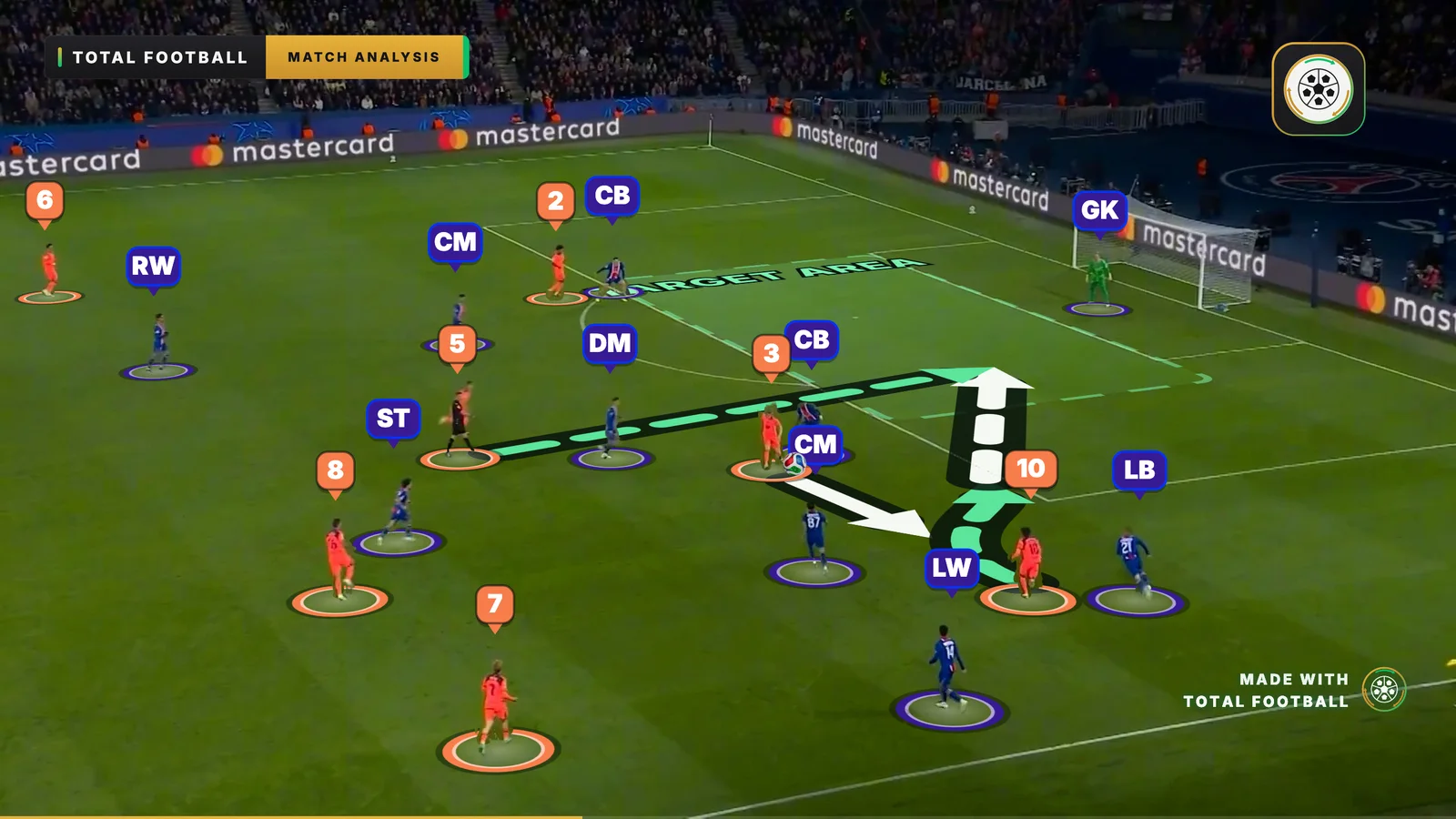
Bring in a clip from a broadcast or your club camera: the Studio follows the camera, tracks every player and stops where you explain. Or draw over a single frame, or show the move the way a player sees it.
- Match Video The whole clip on a timeline in its own analysis room: every player tracked, frozen where you explain, your board playing the match back.
- Measured on the real grass The back line, the shape, space and a player's speed, and with Measure the distance and the area between any players, at every moment of the clip.
- Match Picture One frame from a real match under a phase, its players found for you and put on your board.
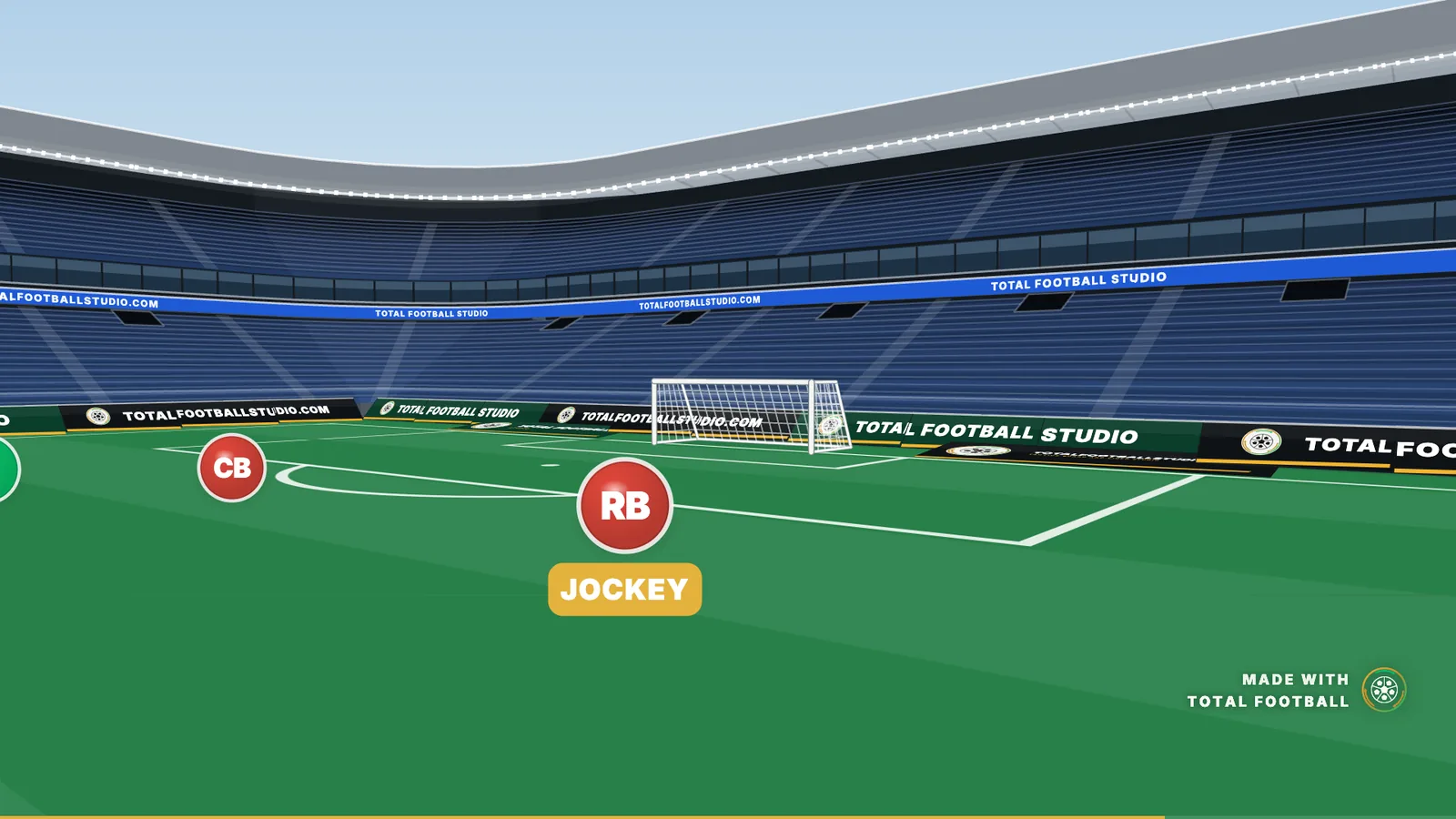
- Player's Eye Any phase seen from where a player stands, in Play, on the link and in every video.
Match Video, Match Picture and Player's Eye on Amateur and Pro. Try them free for 7 days
Everything a tactics board should do.
See every feature- AI Coach , with AI Coach An assistant that reads the boards you share, drafts new ones and plans training. Coming soon.
- The board Nine pitch views, four surfaces and a tilted broadcast angle.
- Players and squad Twenty-five formations, your squad with photos and flags, and player cards in your kit.
- Drawing tools Pass, run, carry, press and lofted-ball arrows, blocks, zones, lines and text.
- Training gear Seventeen pieces of training gear and eight match balls.
- Animation and camera Phases instead of keyframes, pace per phase, trajectories and a camera that follows the ball.
- Real matches Match clips analysed and played back on your board, phases drawn over a frame from a real match, and any phase seen through a player's eyes.
- Speed and shortcuts A quick bar of favourites, double-tap settings, tap to place, copy and paste across phases and keyboard shortcuts.
- Sharing and export A link that plays on any phone, MP4 video, PNG pictures and a printable PDF.
- Team Talk and staff Record your voice over the board, present it live, and invite your staff.
- Team Centre Fixtures and calendar links, match prep, availability and team sheets, match reports, season stats and a season plan.
- Football Manager tactics Lay out your FM tactic on the grid you know from the game and get a moving board, in and out of possession.
- Free lineup builder Your formation, your eleven and your kits, saved as a team sheet picture. No account needed.
- Free session planner Drills on real boards, a whole session printed as an A4 PDF, and every block opens in the Studio.
Team Centre
Your whole week, on one page.
The fixture, the plan for it, the team sheet, the result and the training round it. Usually a league site, a notebook, a group chat and a spreadsheet. Here each one hands its work to the next.
- Fixtures that keep themselves Paste your league's calendar link. When a kick-off moves, the match moves with it.
- Match prep that counts Your shape against theirs, line by line, and the prep board built in one press.
- Matchday, sorted See who is out, pick your eleven, bench and captain, and the board gets their names.
- One result, the whole season The result opens filled in from your team sheet. Every player's minutes, goals and cards add themselves up.
- A report for the group chat The match as a picture or as text, with first names or initials for a parents' group.
- A training week round the match Every session gets its job from the next match, with a register for who came and how hard it was.
Fixtures, match prep, opponent notes and your calendar feed on every plan, the free one too. Matchday, the squad's season and the season plan on Pro.
Match prep
4-3-3 v 4-4-2
- At the back 2 v 2
- Central midfield 3 v 2
- Up front 1 v 2
- Your left flank 2 v 2
- Your right flank 2 v 2
You have the extra man in the middle.
Next match
3 days
Saturday, 15:00 · Away
Prep board ready, built from both shapes
Their shape4-4-2
From your league's calendar link
This week
Pro- Mon MD+2
- Tue MD-4
- Wed MD-3
- Thu MD-2
- Fri MD-1
- Sat MD
- Sun ·
Strength, Endurance, Speed, Activation, then the match. Move the match and the week moves with it.
On the touchline and at the desk.
One account, every board, on every screen. Start in the browser, carry it on the phone, finish it in the app on your computer.
-
 Download on theApp Store
iPhone and iPad
Free to download, iOS 17 or later
-
 Download
Mac and Windows
A free download, board files open on a double-click
% Affiliate programme
Make the videos. Earn up to 50%.
Post what you build in the Studio with your own link. When someone who found it through you subscribes, you get a share of their first payment. They pay the same price.

- Join
Join the programme
One click in Settings on an Amateur or Pro plan. Your link is ready at once.
- Create
Create a video
Pose your idea in the Studio and export it as an MP4, landscape or vertical.
- Upload
Upload it
Post it on Instagram, TikTok, YouTube or X, with your link in the bio or the caption.
- Get paid
Get paid
Up to 50% of every new subscriber's first payment, paid out every 30 days.
Fair questions.
What it costs, what it needs, and what happens to the boards you build.
All questions What is Total Football Studio?
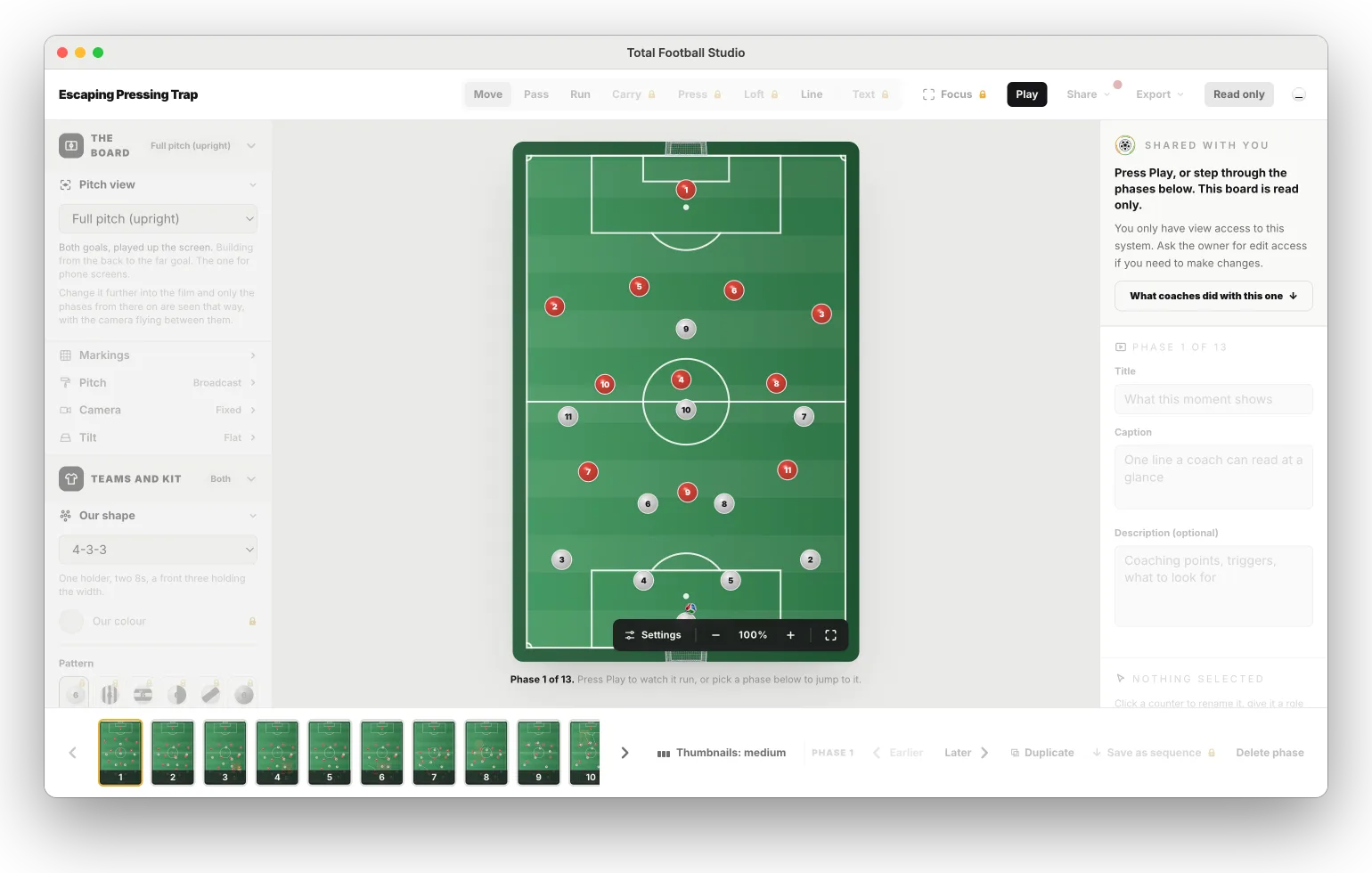
Total Football Studio is a football tactics board tool that hands you the exact canvas our videos are drawn on. Pick a pitch, pick one of twenty-five formations and eleven counters stand in it. Move them to where the ball takes them, and the built-in animation engine turns the movement between the two positions into film.
See the Studio What is a system?
A system is one board and everything on it: the pitch, the shape, every phase you posed and the words you wrote on each one. It is the thing you open, edit, send and keep. Every breakdown in the library is a system, and so is each of the ones you can open here without an account.
Read the library What is a sequence, and how is it different from a system?
A sequence is a slice of a system: a run of phases lifted out of one board with the identities stripped off, so there are no names, no photos and nobody in particular left in it. What remains is the movement. Save it once to your account and you can drop it onto any other board, where it runs on whoever is standing there. A system is a board you keep. A sequence is a movement you keep, and it does not mind which board it lands on.
What is the Team Centre?
The Team Centre is the page for your team's week, under Your team in the portal. On every plan: keep your fixtures or import them from your league's calendar link, see them in your own calendar app, count both shapes line against line, keep notes on each opponent, and build the match prep board in one tap. On Amateur and Pro: mark the moments of a whole match from its video, gather them in a Video tab and play them as playlists. On Pro: mark who is injured or suspended, pick your team sheet, turn the result into a match report, see the season in numbers, rate players with monthly reviews, and plan every training week round your matches with a register.
See Team Centre features Can my fixtures and training days show in Google or Apple Calendar?
Yes. On Fixtures in the Team Centre, make a private calendar link and subscribe to it in Google Calendar, Apple Calendar or Outlook. It carries every match (kick-off, venue, competition, and the score once you add it) and every training day of your season plan with its job, and calendars refresh it every few hours. It never carries a player: no names, no team sheets, no availability and no notes. Turn it off or make a new link at any time. It is on every plan.
Read the Team Centre guide Can I send a match report to the parents' group?
Yes, on Pro. Open a result in the Team Centre and make a match report: the score, the starting eleven, the bench, goals, assists and cards, and a few words of your own. Save it as a picture, copy it as text or share it, with full names, first names or initials, so a parents' group never needs the whole squad list. Your few words are only on that report and are not saved.
Read the Team Centre guideFollow along
Not ready yet? Watch it first.
Short tactics reels, every frame drawn, no broadcast clips. Follow along wherever you scroll.