Football image analysis
Take one frame from a broadcast or your club camera. Mark the pitch on it, let the Studio find every player, and draw your passes, runs and zones on the real grass, in perspective, with the players standing over them.
7 days free on Pro, nothing charged until day 8. Then on Amateur and Pro. Nothing to install: it runs in your browser, and the picture stays private to you.
- The fit
- Within 4 px
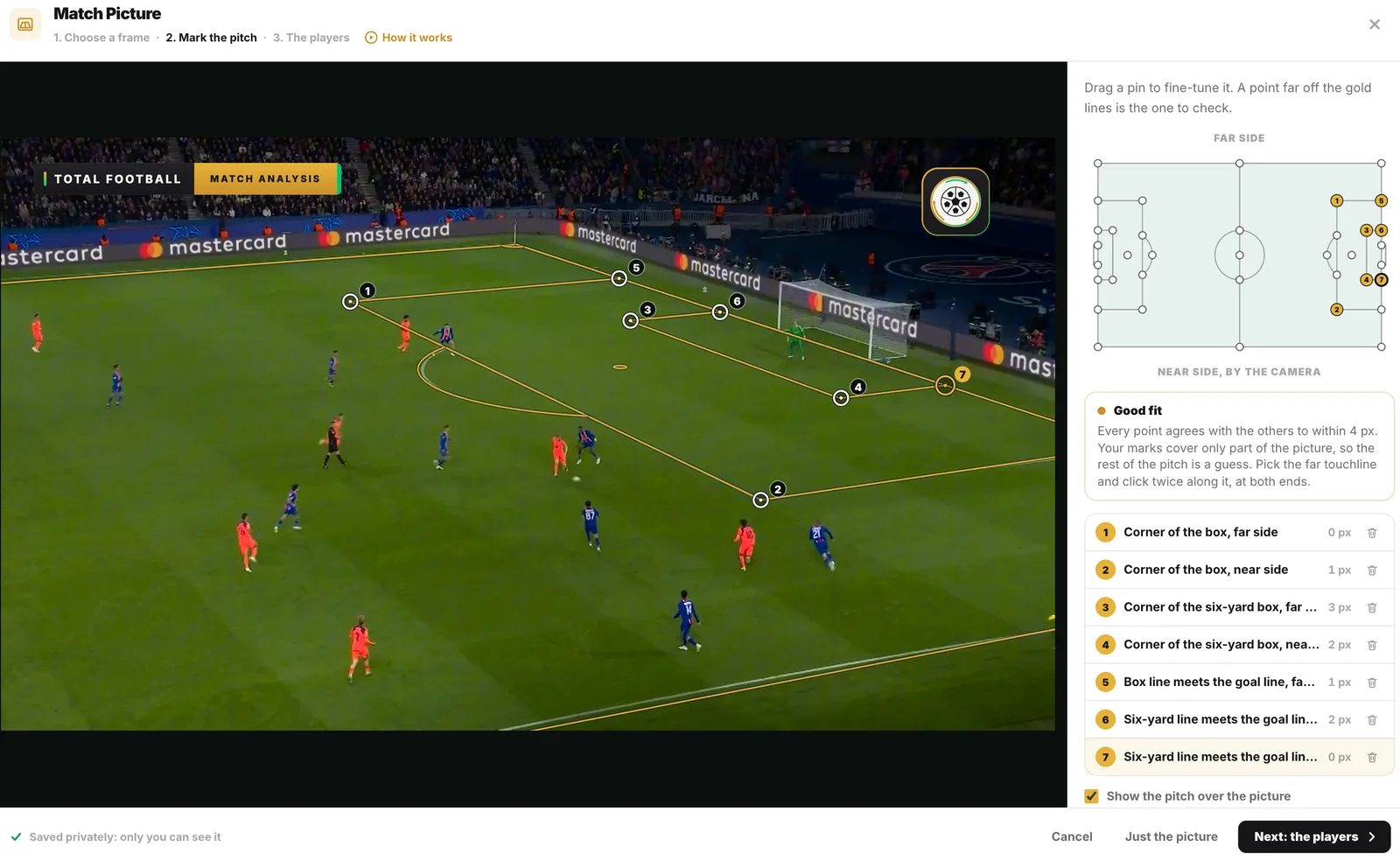
- Seven points marked on the frame; the Studio read every one within 4 pixels of the others.
- Players found
- 17, on the device
- Found with no credits, the sides read from the shirts and settled with a press: 10 PSG, 7 Barcelona.
- The export
- 2560 × 1440 PNG
- Saved by the Studio as it is: the frame, the rings and the move.
How it works
One frame in, an analysis out.
Four steps, a few presses each. Every picture here is the Studio on the frame above, as you would see it.
-
Mark the pitch on the frame
Open Match footage under The board, choose Picture and drop, paste or choose a frame from a broadcast or your club camera. Pick a point on the little pitch and click the same point in the picture: from four points the Studio works out the camera that took it and draws the pitch over the frame in gold, so you can see it fits.
Seven points on the frame, each within 4 px. The gold lines are the pitch the Studio worked out. -
The players, found for you
Once the points fit, Find the players finds every player in the picture, on your device and with no credits, splits the teams by their shirts and rings each one on the grass. Press a ring to change his side or leave him out, drag it onto his feet, or press the grass to add one it missed.
17 found on the device, the sides read from the shirts and settled with a press. -
Draw on the real grass
Put them on the board and each player takes the nearest counter of his side, so numbers and names stay. Your passes, runs and zones then lie on the grass in perspective, with the players standing over them as on TV, in Play and in every video and picture you save.
The move on the real grass: into 10’s path, lifted into the box, and 5 arriving from deep. -
The picture and your board, together
Both views shows the picture and your board side by side, or one over the other, whichever gives them more room. It is the same phase on both: drag, draw or place on either and it shows on the other. Hide the picture puts the phase on your own pitch, every player where he stood.
Both views: the frame and your board, the same phase on each.
Try it on a frame from your own match.
Drop in a screenshot from a broadcast or your club camera, mark four points of the pitch, and the Studio finds every player for you to draw over.
Nothing is charged until day 8. Cancel before then and you pay nothing.
From the frame to your board
The picture, then your pitch.
The same frame, saved as a film. The move is drawn on the real grass, then Hide the picture puts the phase on your own pitch with every player where he stood, and a pitch view set further into the film swings the camera round behind the goal.
What comes with it
Made for the pictures coaches have.
-
Private to you
The picture is saved privately to your account. A share link, Team Talk and the PDF show that phase on your own board, never the frame.
-
Pictures and films to send
Match Picture runs from the phase you set it on, in Play and in every video and picture you save: a slide for the team meeting, a picture for the group chat, a film for the players.
-
Any camera that shows the lines
A frame from a broadcast or your club camera: what it needs is four or more points of the pitch it can see, like the corners of the box and the penalty spot.
-
In your browser
Nothing to install, on Amateur and Pro, in English or Spanish. The iPhone and iPad app keeps your pictures and shows those phases on the board.
Match Picture is on Amateur and Pro. Compare the plans.
Match Video
The whole clip, not one frame.
Match Video plays the clip this frame comes from: it freezes where you explain, tracks every player, measures the back line and plays the move again on your board.
See football video analysisMore from a real match.
-
Every step, in the studio’s words
The guide walks through Match Picture control by control, as the Studio labels them.
Read the guide -
See it through a player’s eyes
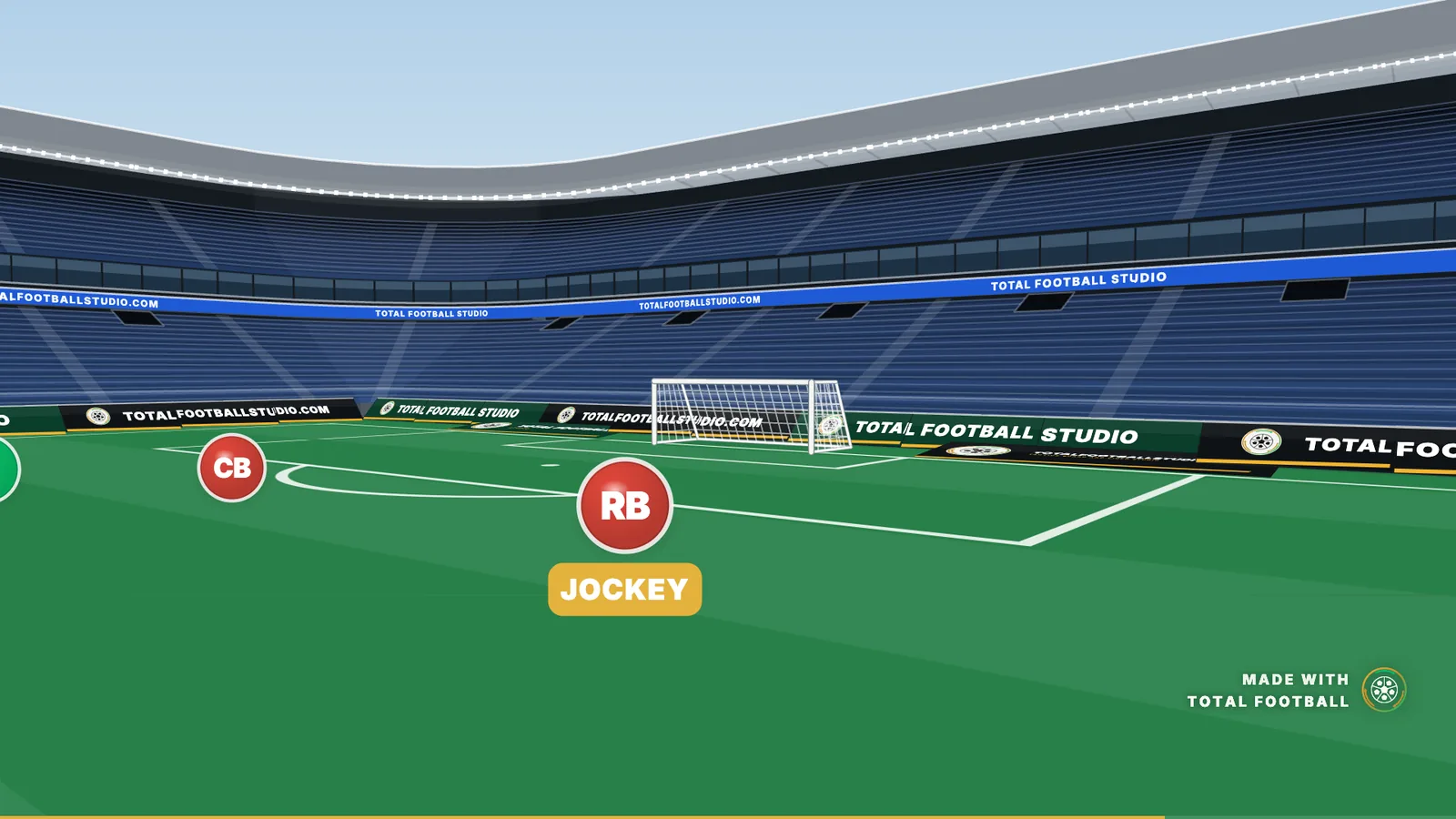
Player's Eye puts the camera on a player and plays the phase from where he stands.
How Player's Eye works -
Your board, as a film
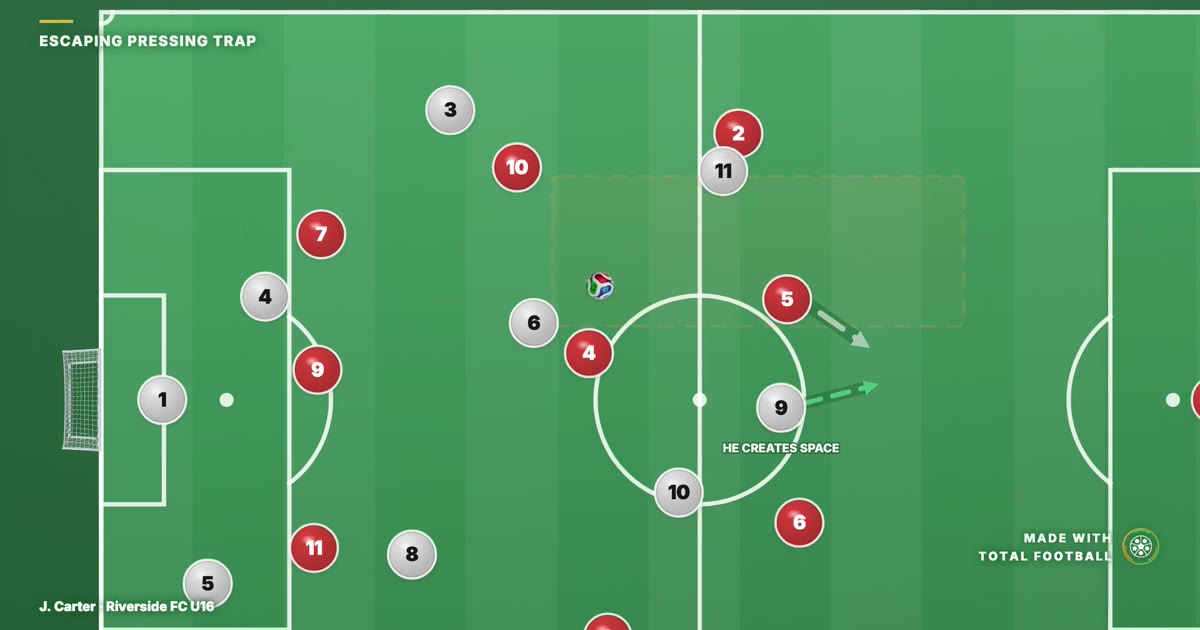
Save any board as an MP4, landscape, square or vertical, for the team meeting or the group chat.
The tactics video maker
Can I draw tactics over a screenshot from a real match?
Yes, with Match Picture, on Amateur and Pro. Upload a frame from a broadcast or a club camera and mark four or more points of the pitch on it, like the corners of the box and the penalty spot, and the Studio works out the camera that took it. Find the players then finds every player in the frame on your device, with no credits, splits the teams by their shirts and puts them on the board. Your runs, passes and zones lie on the grass in perspective, in Play and in every video and picture. The picture is private to you: a share link, Team Talk and the PDF show that phase on your board.
Do you use real match footage?
Not in our videos and library pages: every frame is drawn. A broadcast clip shows you one camera angle of one moment, and the four players who moved at the same time are usually outside the frame, which is the part you actually needed to see. Drawing it means the whole shape is visible at once and the distances are geometrically real rather than guessed from a camera angle. In the Studio, a coach can put their own frame from a real match under a phase with Match Picture.
How the videos are made Who can see the picture?
Only you. It is saved privately to your account. A share link, Team Talk and the PDF show that phase on your own board.
Does finding the players use credits?
No. The players are found on your device, with no credits, and the teams are split by their shirts. You can change a side, leave a player out or add one it missed before they go on the board.
Can I analyse a whole clip?
Yes, with Match Video: the clip plays on the board, stops where you want to explain with your phases over that frame, and plays on, with every player tracked. See the guide to analysing a match video.